
Browse the manual
Audit log
See who read or changed a record, check the history and prepare evidence for a data request.
On this page
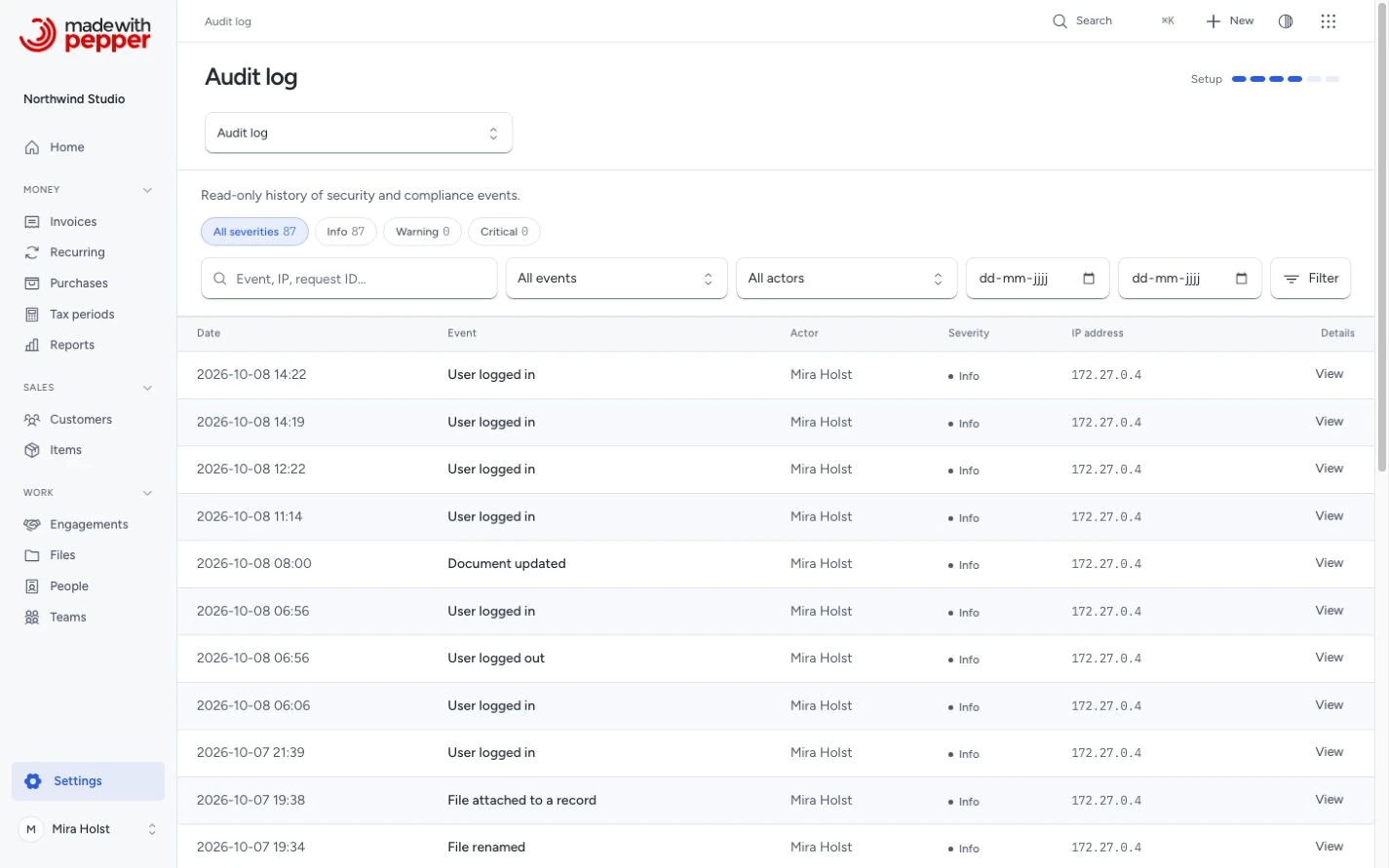
Open Settings > Audit log to see who did what. The same records and permissions apply when a person uses the app or an optional AI connection. AI is optional. Sensitive actions still wait for you to confirm.
Pepper provides records and controls. It does not certify compliance with a named law.
Accessing the audit log
Owners and administrators can browse the log, check its integrity, export evidence and open data-request reports. Record access still applies: installation ownership does not reveal a private board. Losing access also removes its events, filter choices and counts. An access event for a list is hidden if even one record in that list is no longer accessible.
An accountant can open their own activity from Your profile. This view has no person filter, export or verification controls. Employees have no audit-log permission by default. Only an owner can change retention periods or confirm personal-field erasure. Custom roles use the same permissions.
Recorded events
The log records sign-in and account changes, settings changes, document and payment actions, delivery outcomes, customer and item changes, project and purchase work, board activity, files, forms, backups and updates. The event name says what happened. A mail service accepting a message does not prove receipt.
Reads of customers, documents, purchases and files also leave evidence. A detail read records the source and its declared purpose. Lists, searches and tool responses record the returned identifiers together, without search text or one event per row. Repeating the same detail and purpose within one request creates no duplicate. Existing file download and share events serve as access evidence. Thumbnail and presence polls create no access history.
Each event names a person, an AI connection, a share link, a public form or Pepper's scheduled work. An AI connection acts with the permissions of the person it represents.
Folder access samples
Pepper groups repeated folder pages into UTC clock minutes, from second 00 through second 59. Within a minute, a folder page may reuse one access event. Reuse requires the same person, AI connection, folder, purpose, returned file identifiers and versions. Changing sort order alone creates no new sample. A changed file set, version or displayed file revision creates new evidence. The next UTC minute starts a new sample.
Every request checks current permissions before reuse. A refused request returns no file identifiers and creates no access event. After access is restored, an unchanged set may reuse its still-current sample. The event retains the first disclosure time and request identifier. It does not establish a separate time or event for each later opening.
Each sample keeps every disclosed file identifier and version identifier in storage, with a reference for each file. A fingerprint does not replace these identifiers. Normal audit pages and tools show the batch count; signed evidence includes its file identifiers. Concurrent requests can create duplicate samples when earlier evidence has not committed. Pepper keeps duplicates rather than losing the first disclosure after a rollback or worker failure. Clearing a cache or restarting a worker does not remove committed evidence.
The folder limit remains 5,000 files per page. Folder searches follow the same sampling rule. Searches across folders and other file views retain ordinary per-page evidence. Existing history, signed exports and retained files stay unchanged.
Event details
Open a row to see its person, time, source record and seal status. Follow History for this record to include its direct events and sampled reads. Use the row menu, context menu or selection actions to add permitted events to a board. Linked cards follow current access; they do not copy hidden evidence into a private snapshot.
Technical evidence holds the identifiers, hash and covered business facts. The page and agent tools return no raw metadata, IP address or browser details. New events record UTC time and the business timezone. Older events keep their original recorded time; an unknown historical UTC offset stays unknown.
Filtering
Use the severity tabs, search and Filters. You can select an event type, a person and an inclusive date range. Search matches an event code or an exact request identifier. It does not search personal metadata. Clear filters returns to the full list you may read.
Check the history
The integrity result has a date. Check history seals settled new events, then checks every sealed event against its recorded hash. Sealing waits for unfinished event transactions and advances in small batches. The full check reads a snapshot while people continue working. If another seal advances the chain during the check, Pepper retries against the new checkpoint. If the check cannot finish, the previous result remains.
| Result | Meaning |
|---|---|
| Checked | The sealed events match their recorded hashes |
| New events waiting | New events still need a seal |
| Check again | The previous check is more than a day old |
| Change detected | An event, link or retained checkpoint no longer matches |
If a change is found, keep a backup and inspect the first changed event. Do not rewrite hashes to clear the warning. The hosting scheduler seals new events every five minutes and checks the full history hourly. Sealing alone does not refresh the date of the last full check. Installation health shows whether the chain needs attention.
The hash covers event order, identifiers, actor kind, recorded time, explicit UTC time when available, event type and selected business facts. Exact financial values remain strings in the evidence. Names, addresses, free text, IP addresses and browser details are outside this coverage, so personal-field erasure does not break verification.
The check compares against hashes in this installation. A person with full database access could replace the whole chain. Keep a signed export elsewhere to retain an earlier checkpoint.
Your host can also run php artisan audit:verify. It reports the first changed or missing link and distinguishes pending events from an intact sealed log. It does not repair a mismatch.
Export evidence
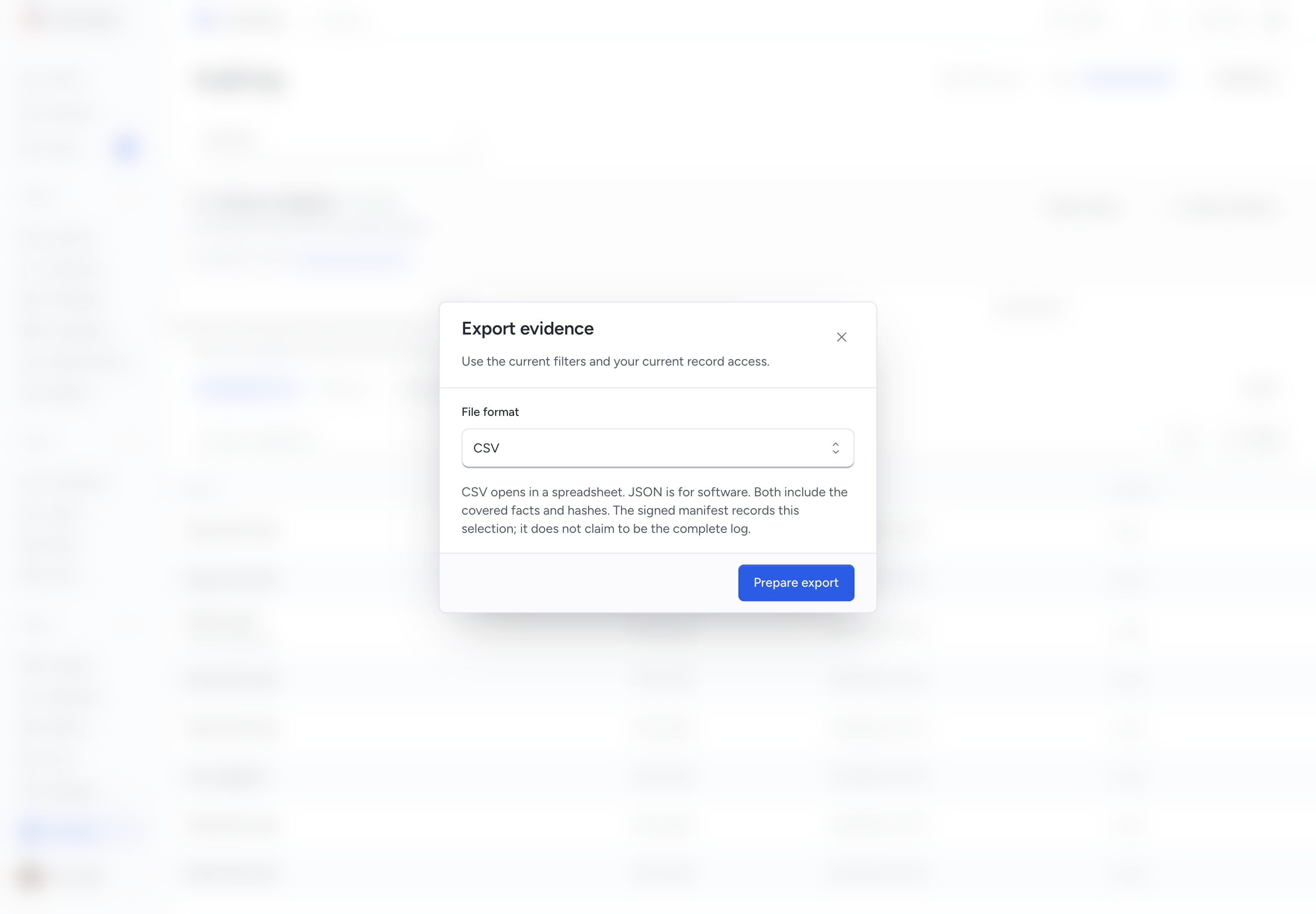
- Set a period, person or source-record filter if needed.
- Select Export evidence and choose CSV or JSON.
- Select Prepare export, then Download signed export when it is ready.
The ZIP contains the evidence, a signed manifest and a public verification key. CSV opens in a spreadsheet; JSON is for software. Both include the covered facts and chain hashes. The manifest binds the exact file digest, selection and checkpoint. A filtered export is partial; it does not claim that omitted events form a complete chain.
The export is itself recorded. Pepper checks permissions again before download. A person who has lost source or field access cannot download an earlier export containing that evidence. A failed preparation offers no download.
Data-subject report
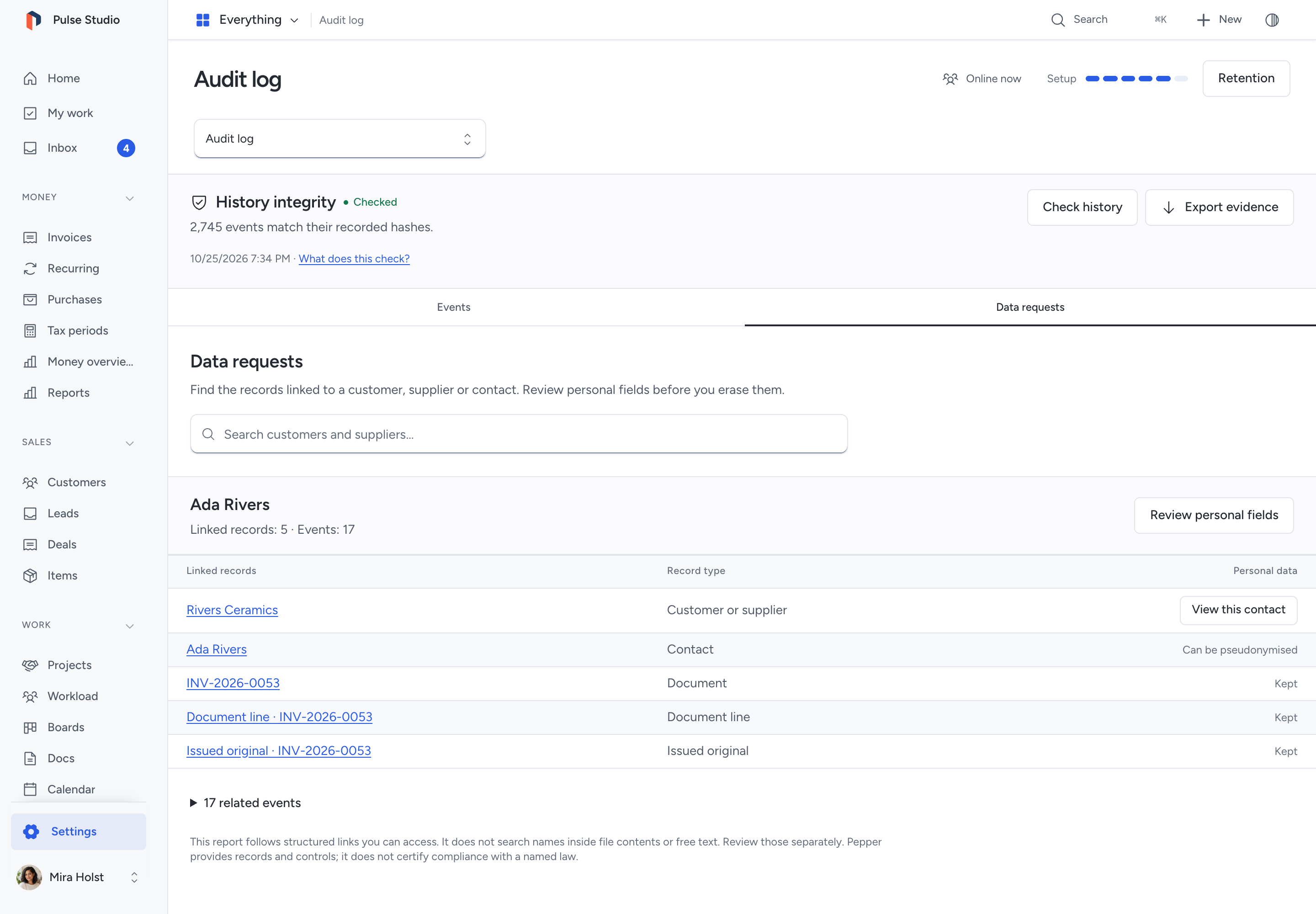
Open Data requests and find a customer or supplier. Pepper follows saved links to contacts, documents, purchases, projects, recurring work, related financial records, boards, cards, lists, forms, files and audit exports. Open a contact to limit the report to that contact. The report includes only records you may open.
This is a report of structured links. It does not search names in file contents or free text. Review those separately. A report above 10,000 linked records is refused without erasing anything; ask your administrator to prepare a narrower access report.
Erase personal fields
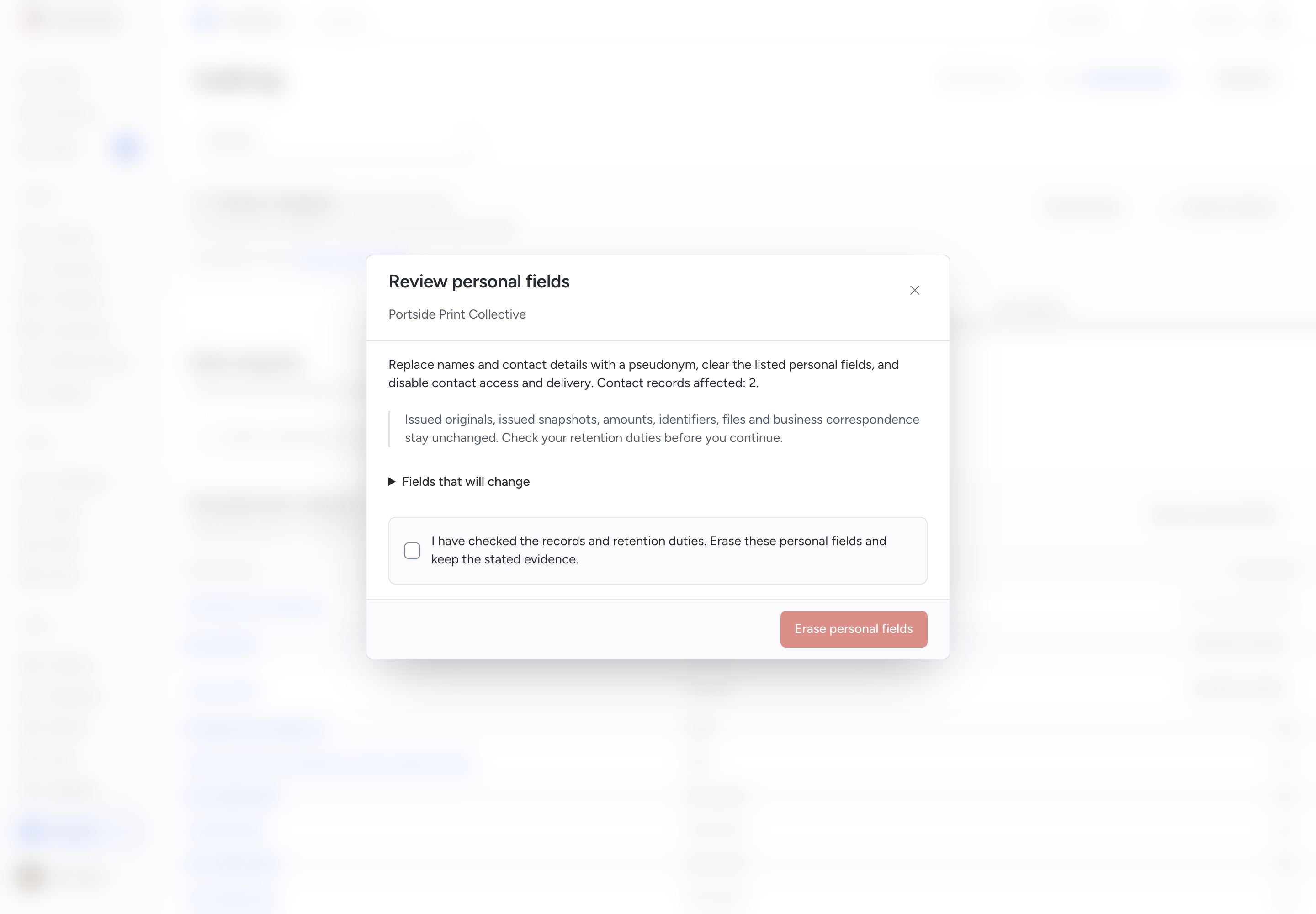
An owner selects Review personal fields from the report. Read the exact fields, affected contacts and retained records. Confirm only after checking your retention duties.
Pepper replaces eligible names and contact details with a pseudonym, clears the listed personal fields and disables affected contact access and delivery. It keeps identifiers, issued originals, issued snapshots, financial amounts, files and business correspondence. It writes an erasure receipt without the original personal values.
If a record changed after review, load the report and review it again. If a reply is lost, retry the same confirmation to retrieve its result. A retry does not erase twice. The next report shows the pseudonym.
Retention
Select Retention to read the minimum periods. An owner can lengthen the default 365 days for security, access and other business events. A saved minimum cannot be shortened. Financial events stay with their financial records.
This release removes no audit events, even after a minimum period. Scheduled pruning refuses deletion that would break the chain. Retention settings are controls for the owner; they do not determine which legal duties apply.
Related pages
Need help with the product?
Contact support