
Browse the manual
EU VAT reverse charge
How the reverse charge mechanism works for B2B cross-border sales within the EU, and how to set it up in Pepper.
On this page
For: business owners who sell to businesses in other EU countries. Covers: the reverse charge mechanism under Article 196 of the EU VAT Directive.
Who this applies to
This example covers services taxed where the business customer is established under the general B2B rule. The supplier is not established in that country. Article 196 makes the customer responsible for VAT.
Goods and services with special place-of-supply rules need a separate assessment. A VAT number alone does not decide the treatment.
What the rule is
The seller charges no VAT when this reverse charge applies. The buyer accounts for VAT in its country. Any deduction depends on the buyer's entitlement; the result is not always zero.
See the European Commission's persons liable for VAT and place-of-taxation rules. Confirm the treatment for your transaction before choosing a rate.
How to set it up in Pepper
-
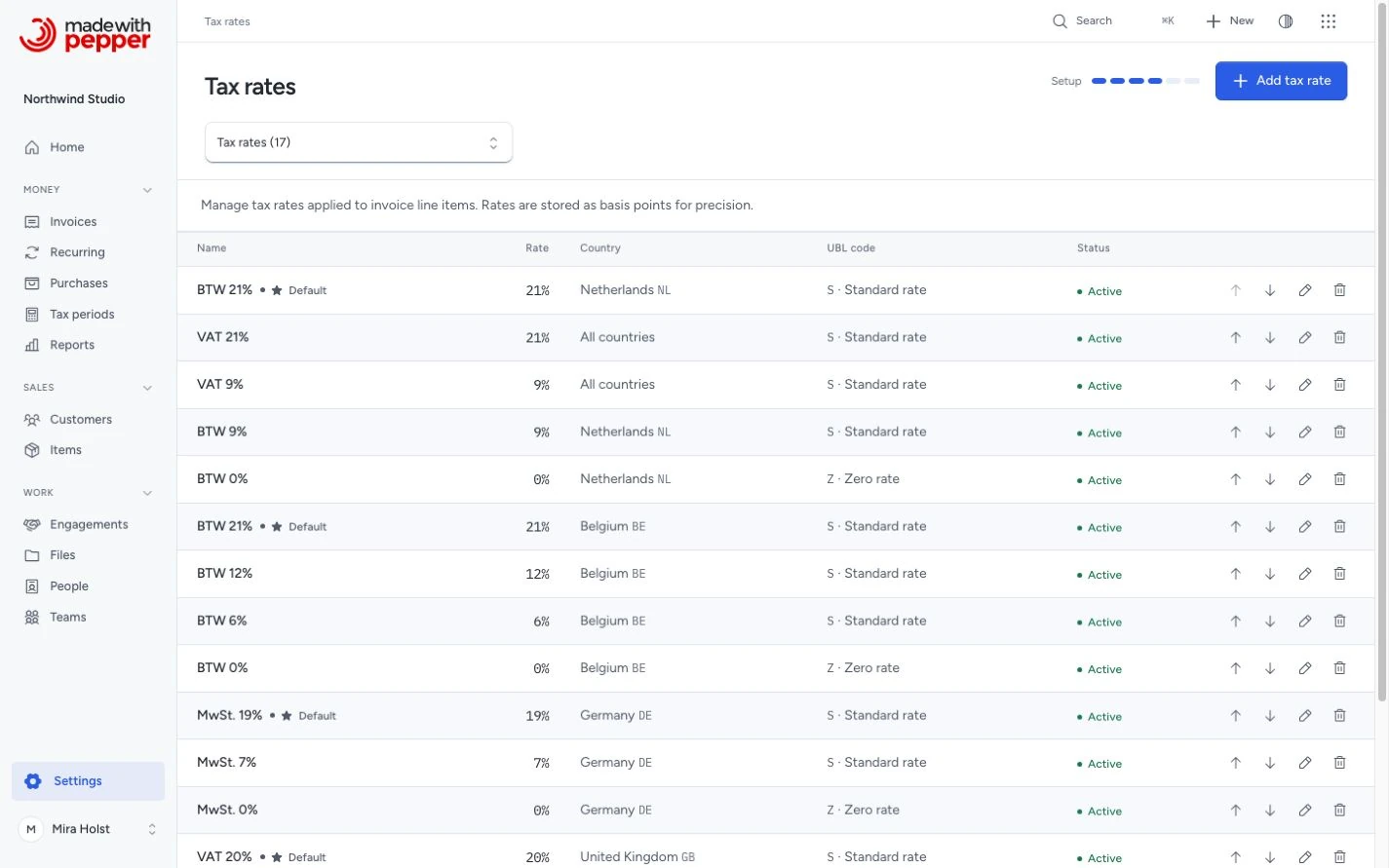
Create a reverse charge tax rate in Settings > Tax rates:
- Name: "BTW verlegd" (or "Reverse charge" or your local language equivalent)
- Rate: 0
- UBL code: Reverse charge (AE)
- Exemption code (VATEX): VATEX-EU-AE. You can also enter an Exemption reason, such as "Reverse charge". The form refuses an AE rate with neither
-
When invoicing a B2B customer in another EU country, select the reverse charge rate on each line item instead of your domestic rate.
-
Enter the required words “reverse charge” in Notes (visible to customer). Add the applicable legal reference when needed, such as Article 196.
The PDF shows 0% on the lines and includes zero-rate groups in its tax breakdown. It adds no required reverse-charge note of its own. The AE category, the exemption code and the exemption reason appear only in the UBL XML export. The export also needs the customer VAT number on a reverse-charge document.
Worked example
Northwind Studio (Amsterdam, NL, NL123456789B01) invoices Globex GmbH (Berlin, DE, DE987654321) for a brand identity project:
Each service has a quantity of 1. Its unit price is the amount before VAT. Both lines use the reverse charge rate, 0%.
| Service | Before VAT | VAT |
|---|---|---|
| Brand identity design | €8,000.00 | €0.00 |
| Style guide production | €2,500.00 | €0.00 |
The invoice shows:
- Both VAT numbers (NL and DE)
- 0% on both lines and a zero-rate tax breakdown
- Total: €10,500.00
- The note Mira typed in Notes (visible to customer): "VAT reverse-charged, Article 196 EU VAT Directive"
In this example, assume the services are subject to Germany’s standard 19% rate. Globex accounts for €1,995.00 VAT. It deducts that amount only if it has full deduction entitlement.
Other transactions
Consumer sales, domestic sales, goods and services covered by special rules need their own VAT assessment. Do not automatically apply your domestic rate when this example does not fit. Check the place of taxation, exemptions and local requirements with your accountant.
The seller's responsibility
You need to verify that the buyer is a VAT-registered business in another EU country before applying reverse charge. Pepper does not validate VAT numbers against VIES. You can check at ec.europa.eu/taxation_customs/vies.
If you apply reverse charge and the buyer's VAT number turns out to be invalid, you may be liable for the uncollected VAT. Keep a record of when you verified the number.
Related pages
Need help with the product?
Contact support