
Browse the manual
UBL 2.1 XML export
What the Peppol BIS Billing 3.0 UBL export contains, what Pepper checks before it writes a file, and what the export does not do.
On this page
For: bookkeepers and developers who need structured invoice data for an accounting system or a receiver that asks for UBL.
What the export writes
UBL (Universal Business Language) is an XML standard for business documents. EN 16931 is the European standard for the content of an electronic invoice. Peppol BIS Billing 3.0 is a profile of EN 16931 with extra rules.
Pepper writes a UBL 2.1 file built for the Peppol BIS Billing 3.0 profile. The file carries these identifiers:
| Element | Value |
|---|---|
| CustomizationID | urn:cen.eu:en16931:2017#compliant#urn:fdc:peppol.eu:2017:poacc:billing:3.0 |
| ProfileID | urn:fdc:peppol.eu:2017:poacc:billing:01:1.0 |
During development, the Pepper team checked the generator offline against the official Peppol BIS Billing 3.0.21 release files. The official release notes date it to 20 May 2026, mandatory from 17 August 2026. The check used a fixed set of test documents. It applied the OASIS UBL 2.1 schema, CEN EN 16931 rules (version 1.3.16) and Peppol BIS rules.
That check does not promise that every file you export is valid, or that every receiver accepts it. A receiver can add its own rules. If a receiver refuses a file, ask the receiver which rule failed.
What the export does not do
The export is a local file download. Pepper does not:
- Send invoices over the Peppol network. Pepper is not a Peppol access point
- Look up whether a receiver is registered on Peppol
- Submit files to a government portal, such as KSeF in Poland, SDI in Italy, or Chorus Pro or an approved platform (PDP) in France
- Write XRechnung, Factur-X, CII, FatturaPA or KSeF FA(3) files
A downloaded file alone does not meet a national e-invoicing mandate. Talk to your accountant or tax advisor about what your country requires.
Scope
| Item | Rule |
|---|---|
| Documents | Finalized invoices and credit notes only. Drafts, quotes and pro formas have no XML export |
| Currencies | Currencies with 0 or 2 decimals, for example JPY and EUR. Pepper refuses currencies with 3 decimals, such as BHD, because the export applies two-decimal limits to specified monetary fields, including totals and line net amounts |
| Tax categories | S (standard), Z (zero), E (exempt) and AE (reverse charge) only |
| Seller countries | Pepper refuses sellers in Norway, Denmark, Sweden, Italy, Greece and Iceland. It checks both the country of your company address and the first two letters of your VAT number. The Peppol rules add national checks for those countries that Pepper does not verify. The Dutch and German national checks are verified. Sellers in other countries use the general rules |
| Who can export | People with data.export and document access. Owners, admins and accountants have it by default. Built-in Employees do not. Custom roles can include it. Guest scope still applies |
Lines entered Includes tax export their saved net amount and net discount. Their XML price uses that line's quantity as the base quantity. This keeps the saved calculation exact without changing the entered price or issued original. A JPY line with an unrepresentable fractional net amount is refused. BHD and other 3-decimal currencies remain outside this export's scope.
Checks before the file
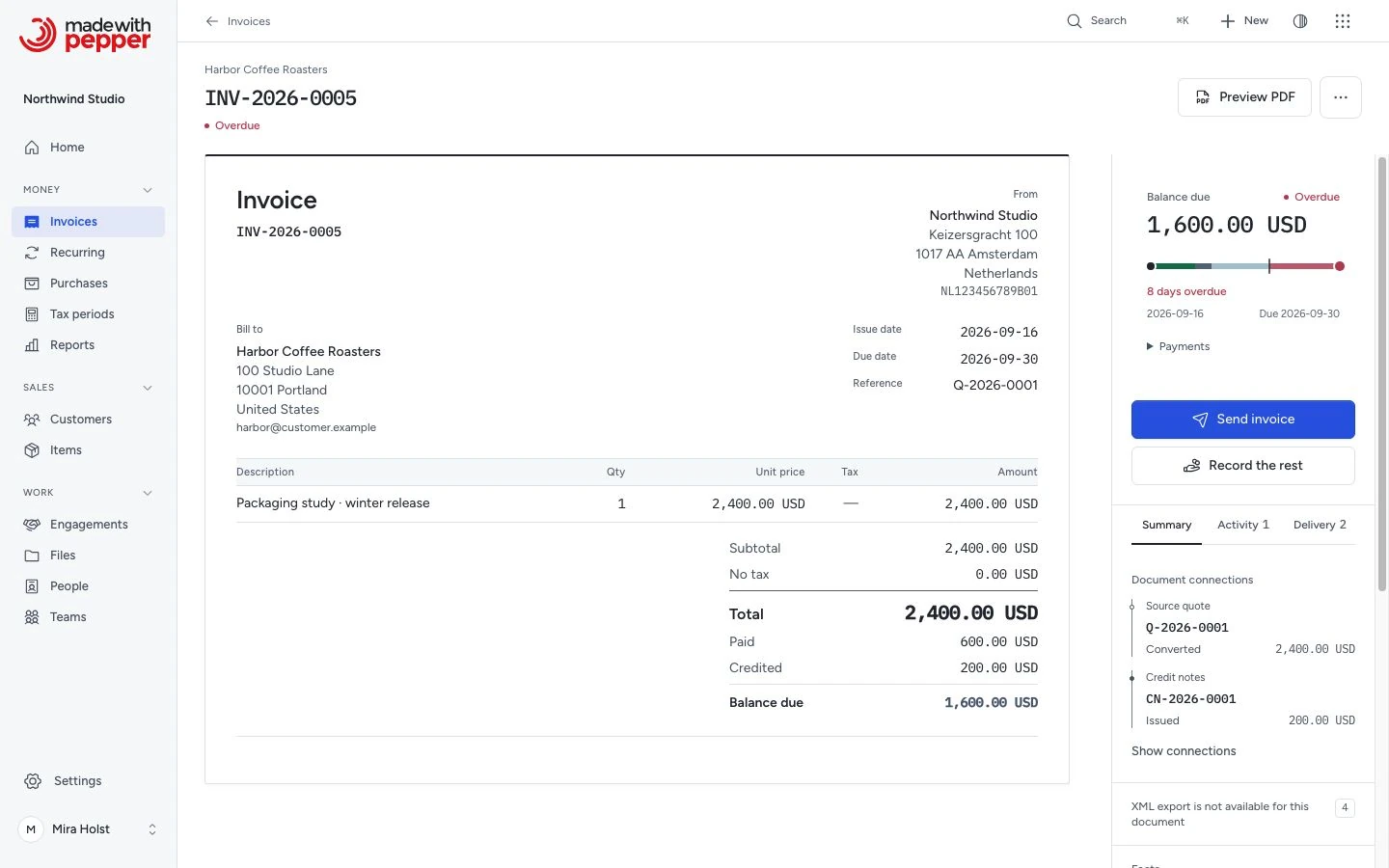
Before it writes a file, Pepper checks the document. If something is missing, Pepper refuses and creates no file. The Export XML button shows only on an issued document that passes the checks. Otherwise the document page shows XML export is not available for this document with every problem. Each problem links to its fix when you have access. The link can open company settings, the customer, tax rates, bank accounts or the draft.
A draft invoice or credit note shows the same list under Structured XML: check before you finalize. By default, finalizing does not depend on this list. Fix the items before issuing if you need an XML file.
The owner can require readiness before issuing. The same checks apply to the screen, approved agent issuance and recurring invoices.
Issued documents keep their details
When you finalize a document, Pepper saves the company and customer details and the selected bank account details on it. A later fix in settings or on the customer applies only to documents you finalize after the change. If Pepper refuses the export for an issued document, issue a credit note and a new invoice.
The stored XML file
Finalizing an invoice or credit note that passes the checks stores its XML file as an issued original. The file has a SHA-256 fingerprint. Export XML then gives that stored file after it checks the fingerprint. Every export of the document gives the same file. Pepper never changes or deletes it.
If the stored file is missing or changed, the page says "The issued original (XML file) is missing or changed. Restore it from a backup." The button changes to Export regenerated XML. That file has a name that ends in -regenerated.xml. Pepper builds it from the details saved at issue. The audit log records the problem. See Issued originals and downloads.
Required details
Company settings
Set these in Settings > Company:
- Company name
- Country. Select it from the list. Pepper stores the ISO country code
- VAT number with a two-letter country prefix. A Dutch VAT number must have the format NL123456789B01
- Electronic address scheme and Electronic address. See Electronic address
A Dutch company also needs a street address, city and postal code.
If both your company and the customer are in Germany, the export also needs:
- Contact person for invoices, Phone number (at least 3 digits) and Business email
- City and postal code for both parties
- A bank account selected on the document
Customer
- Name, country, and an electronic address (scheme and identifier)
- If the customer has a VAT number, it must start with a two-letter country code in capitals. The forms and the customer import store VAT numbers in capitals
- A reverse-charge (AE) line needs the customer VAT number
- If both parties are in the Netherlands, the customer needs a street address, city and postal code
Tax rates
Every line needs a tax rate with a category. Pepper refuses a line with no tax rate.
| Category | Percentage | Exemption code or reason |
|---|---|---|
| S (standard) | Above 0% | Not allowed |
| Z (zero) | 0% | Not allowed |
| E (exempt) | 0% | Required: a code, a reason, or both |
| AE (reverse charge) | 0% | Required: a code, a reason, or both. The only code is VATEX-EU-AE |
The tax-rate form refuses a combination that breaks these rules. See Manage tax rates.
The file has one exemption code and reason for each category. If two lines of the same category use rates with different exemption reasons, Pepper refuses the export.
Each line stores the rate's exemption code and reason when you save the line. If you edit a rate, open each draft that uses it and select the rate again on its lines. The line then uses the new text.
Bank account
- An invoice from a Dutch company with a total above zero needs a bank account selected on the document
- If both parties are in Germany, every document needs a bank account selected
- The IBAN must have correct check digits. The bank account form checks them when you save. An account without an IBAN gives its account number instead
The document
- Reference is required. Enter the receiver's reference or PO number so it can route the invoice
- An invoice needs a due date
- A credit note from a Dutch company must refer to its invoice. Create it from the invoice with Issue credit note
Electronic address
An electronic address tells the receiver's system who sends or receives the invoice. It has two parts: a scheme and an identifier. The scheme comes from the Peppol "Electronic Address Scheme" list.
| Scheme | Identifier |
|---|---|
| 0106 | Dutch KvK number |
| 0190 | Dutch OIN |
| 9944 | Dutch VAT number |
| 0208 | Belgian enterprise number |
| 9925 | Belgian VAT number |
| 9930 | German VAT number |
| 9957 | French VAT number |
| 0009 | French SIRET |
| 0088 | GLN |
The list in the form has more schemes. You cannot use an email address, because the Peppol list has no email scheme. Pepper does not offer the Italian schemes 0201, 0210, 0211 and 9907.
The form checks the check digits for schemes 0088, 0192, 0208, 0007 and 0151. It checks the format for schemes 0184, 0096, 0198, 0106, 0190 and 9944. Pepper saves identifiers without spaces.
Use the identifier under which the receiver is registered. If you are not sure, ask the receiver.
Rounding refusals
Pepper rounds tax per line. The file also states the tax per category. For each category, Pepper compares the sum of line taxes with the tax on the category total. It refuses the export when the difference is one currency unit or more.
This can happen with many small lines. It happens sooner in a currency without decimals, such as JPY. To fix it, combine small lines or change their amounts.
In a currency without decimals, Pepper refuses a line whose price times quantity is not a whole amount.
What the file contains
- Supplier: name, address, country code, VAT number, electronic address, and the contact person, phone number and email when set
- Customer: name, address, country code, VAT number and electronic address
- Header: number, issue date, due date, currency, reference and the document note. A credit note writes the due date inside its payment details
- Lines: description, notes, quantity, unit code, unit price, line net amount, and a line allowance for a discount
- Tax breakdown: one entry per category and rate. E and AE entries carry the exemption code and reason
- Totals: net total, tax total, total and amount payable. The amount payable is the document total. Payments you record later are not part of the file
- Payment details: the IBAN or the account number, the account holder and the BIC when present, as saved when the document was finalized. A later change to the bank account does not change the file. The payment reference is the document number. The payment code is 58 (SEPA credit transfer) for EUR with an IBAN, and 30 (credit transfer) for other currencies and for an account number
- Credit notes: a reference to the original invoice number and date
Unit codes:
| Unit | Code |
|---|---|
| Hour | HUR |
| Day | DAY |
| Week | WEE |
| Month | MON |
| Kilogram | KGM |
| Meter | MTR |
| Liter | LTR |
| Other units | C62 ("one") |
National e-invoicing rules
These summaries use national tax authority guidance checked on 8 October 2026. They do not mean that the local file meets these rules. Check the current rules with your tax authority or advisor.
- Germany: covered domestic businesses must receive e-invoices from 1 January 2025. Transition rules permit other issuing formats through 2026. Businesses with prior-year turnover up to EUR 800,000 have a longer transition through 2027. Alternative electronic formats need recipient consent. Structured formats follow EN 16931. XRechnung and supported ZUGFeRD formats are examples; MINIMUM and BASIC-WL are excluded. See the BMF FAQ.
- Belgium: covered B2B transactions require structured e-invoices from 1 January 2026. Peppol is the default. Parties can agree on another delivery method and EN 16931 format. A local download alone does not establish compliance. See the official FAQ.
- France: businesses within the reform must receive e-invoices from 1 September 2026. Large and mid-size businesses issue from that date. Small and micro businesses issue from 1 September 2027. Approved platforms handle exchange. See the official timetable.
- Poland: KSeF uses the FA(3) structure. The first stage began on 1 February 2026 for businesses above PLN 200 million in 2024 sales, including VAT. The second stage began on 1 April 2026, subject to statutory exclusions. Through 2026, the monthly PLN 10,000 exception starts KSeF obligations with the invoice that crosses that limit. See the official scope and threshold explanation.
- Italy: the national exchange uses FatturaPA through SDI. See FatturaPA.
Pepper does not produce FatturaPA or KSeF files, and it does not exchange files over Peppol for you.
Related pages
Need help with the product?
Contact support