
Browse the manual
How payments work
How Pepper records and reverses payments, what partial payment means, and how payment status transitions work.
On this page
For: business owners and bookkeepers tracking incoming payments.
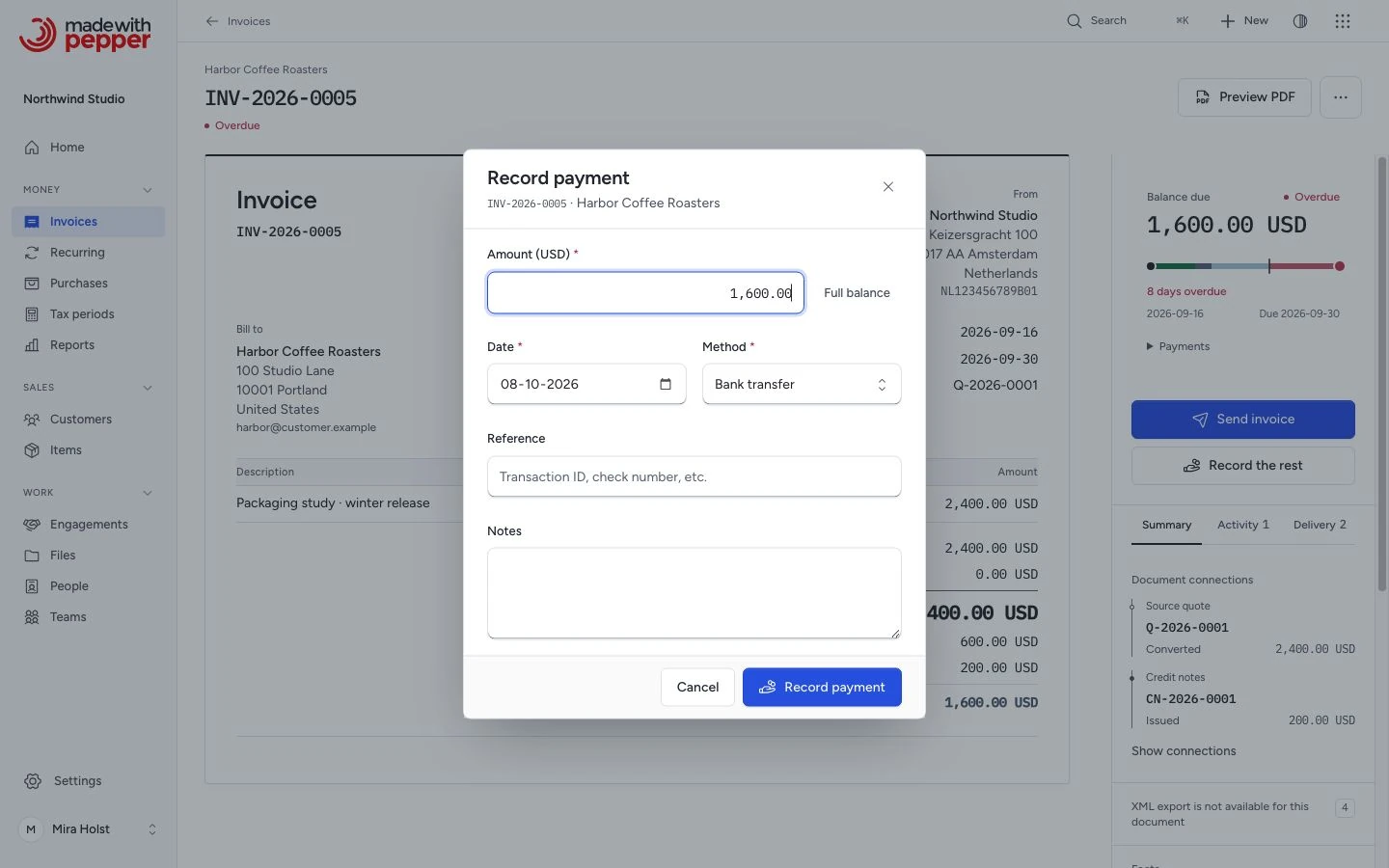
Pepper records outside payments and supports Stripe invoice collection. When your customer sends a bank transfer or pays you in cash, you open the invoice and record what you received.
The payment model
Each payment record stores:
- Amount: how much you received, in the invoice's currency
- Date: when the payment arrived
- Method: bank transfer, cash, card, or other
- Reference: a bank transfer reference or transaction ID (optional)
- Notes: any context (optional)
An invoice can have multiple payment records. Each partial payment brings the balance closer to zero. Each new payment must fit the current balance due. Refunds can reopen that balance, so cumulative recorded payments can exceed the original total.
A credit note also lowers the balance due. The balance due is the invoice total minus the payments and the credit notes, plus any refunds on those credit notes. It is never below zero. When the payments and credit notes are more than the total plus the refunds, the invoice shows Credit owed. You pay that money back with a refund on the credit note, and Pepper stores the refund as money out.
A payment record is never deleted. A payment recorded by mistake is reversed. The record then also stores when it was reversed, who reversed it and an optional reason. A reversed payment stays in the history and counts in no balance. Cash figures keep the payment on its payment date and count the reversal on its own date, as the opposite amount.
Status transitions
Pepper updates the invoice status from the balance due:
| When | Status becomes |
|---|---|
| The full total is due: nothing is paid or credited, or refunds equal the credit notes and no payment counts | Issued |
| Part of the total is due | Partially paid |
| Nothing is due | Paid |
"Total paid" counts only payments that are not reversed. A credit note counts while it is issued and not cancelled. When you reverse a payment, Pepper recalculates the balance and sets the status again. If you reverse the only payment on a paid invoice without credit notes, the status returns to Issued.
These examples assume no credit notes or refunds. After a reversal, the current balance decides the status.
| From | Action | To |
|---|---|---|
| Draft | Issue the invoice | Issued |
| Issued | Record less than the remaining balance | Partially paid |
| Issued | Record the full remaining balance | Paid |
| Partially paid | Record the remaining balance | Paid |
| Paid | Reverse a payment, leaving part of the total due | Partially paid |
| Paid | Reverse all payments | Issued |
| Partially paid | Reverse all payments | Issued |
Pepper does not change the status when the due date passes. A late invoice keeps the status Issued or Partially paid and shows an Overdue label while a balance is due. See Overdue is not a status.
Worked example
Northwind Studio invoices Initech Pty for a brand identity project: NW-2026-0005, total A$4,200.00.
-
May 20: Mira records a deposit of A$2,100.00 (bank transfer, reference DEP-20260520). Status: partially paid.
-
June 15: Initech sends the remaining A$2,100.00. Mira records the second payment. Status: paid.
Payments on the Activity tab shows both payments with dates, methods, and references. The balance shows A$0.00 remaining.
-
June 16: Initech says the June 15 transfer was for another invoice, NW-2026-0006. Mira reverses the June 15 payment on NW-2026-0005 with the reason "Paid NW-2026-0006". The payment stays in the history as Reversed. The balance due is A$2,100.00 again, and the status returns to partially paid.
-
June 16: Mira types A$2,500.00 by mistake. Pepper refuses it and names the limit, AUD 2,100.00. Nothing is stored.
What "mark as paid" means
Recording a payment for the full remaining balance is the same as marking the invoice as paid. Pepper does not have a separate "mark as paid" button. You record the payment with the actual amount, and the status updates.
Payment recording scope
You can record payments on invoices only. Pepper does not treat quotes or pro-formas as receivables. They accept no payments. Their contractual effect depends on your terms and the transaction. A credit note does not accept a payment either. It takes refunds, the money you pay back to the customer.
Two people at the same time
Pepper handles payments, credit notes and refunds on one invoice one after the other. If two people record payments at the same time, the second payment is checked against the balance that is left after the first. If it no longer fits, Pepper refuses it and stores nothing. A reversal checks whether the invoice changed after the page opened. If it changed, Pepper asks you to review and try again.
What Pepper does not do
Pepper does not connect to your bank. It does not pull transactions, match payments, or reconcile statements. Record outside payments by hand; the Stripe workflow records only verified provider transactions. If you need bank feeds or automatic reconciliation, your accounting software handles that part.
Recording a payment sends no email. Pepper does not send payment receipts. The issued original PDF of the invoice does not change. Download current copy gives a PDF with the Paid and Balance due rows.
Related pages
Compare currencies without mixing them
The same payment steps apply to EUR and USD invoices. Each document keeps its own currency.
| Example | Invoice total | Payment | Credit note | Balance due |
|---|---|---|---|---|
| Globex GmbH, EUR | 2,400.00 EUR | 600.00 EUR | 200.00 EUR | 1,600.00 EUR |
| Initech Pty, USD | 2,400.00 USD | 600.00 USD | 200.00 USD | 1,600.00 USD |
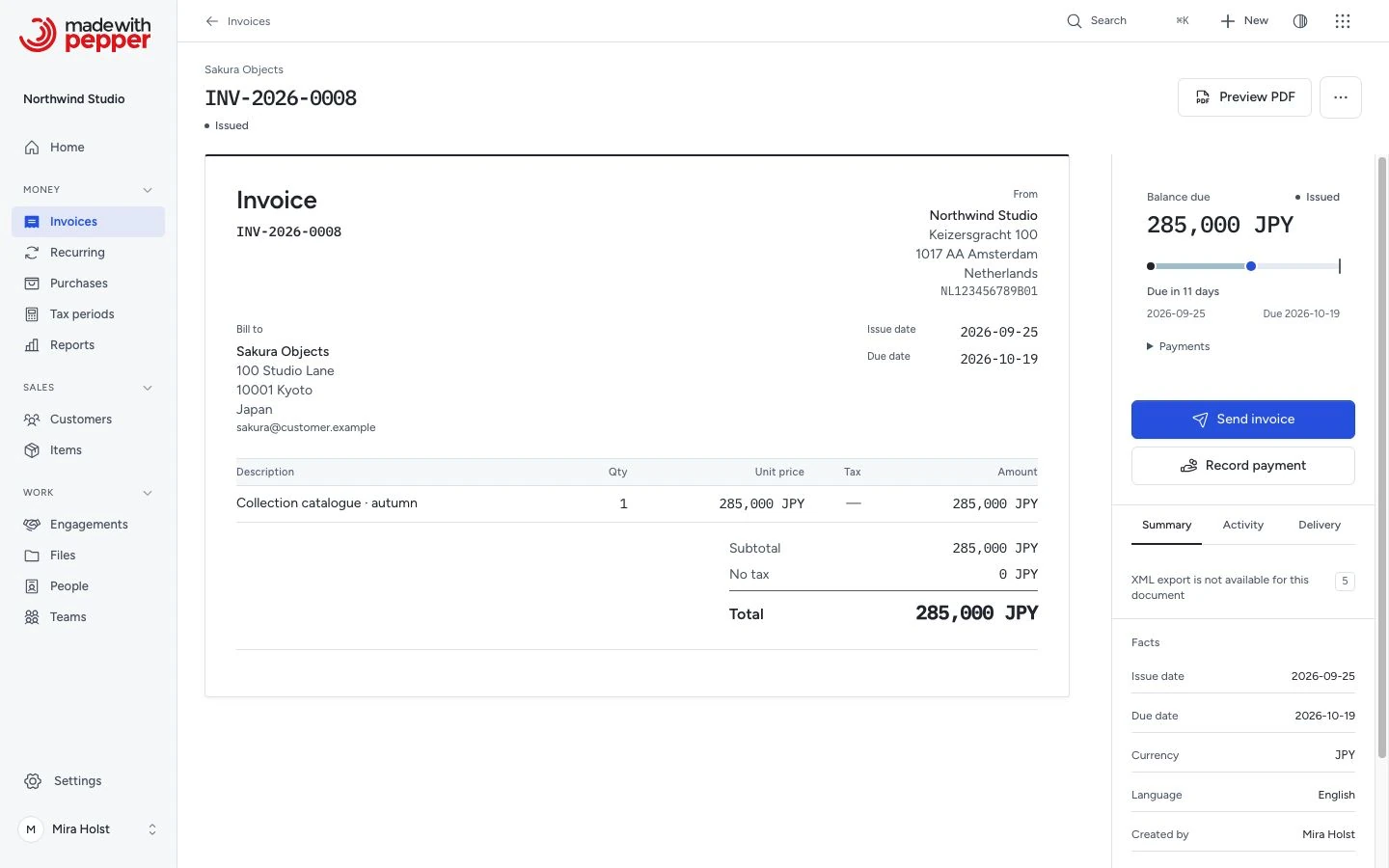
| Sakura Design, JPY | 45,000 JPY | 0 JPY | 0 JPY | 45,000 JPY |
JPY has no decimal places. These examples use the period-decimal number format. Pepper does not add amounts from different currencies.
Need help with the product?
Contact support