
Browse the manual
Manage backups
Export a protected backup and import it in the browser. Move your records and files into a verified empty installation.
On this page
For: owners and admins who want a full backup or need to move their installation. You can export and import in the browser.
What backups include
All application records and durable private/public files travel together, including users, permissions, settings, file versions and issued originals. Current protected exports include the recovery key inside the encrypted ZIP. Boards, cards, checklists, conversations, custom values and their files are included. The environment file and application code stay separate. See backup contents.
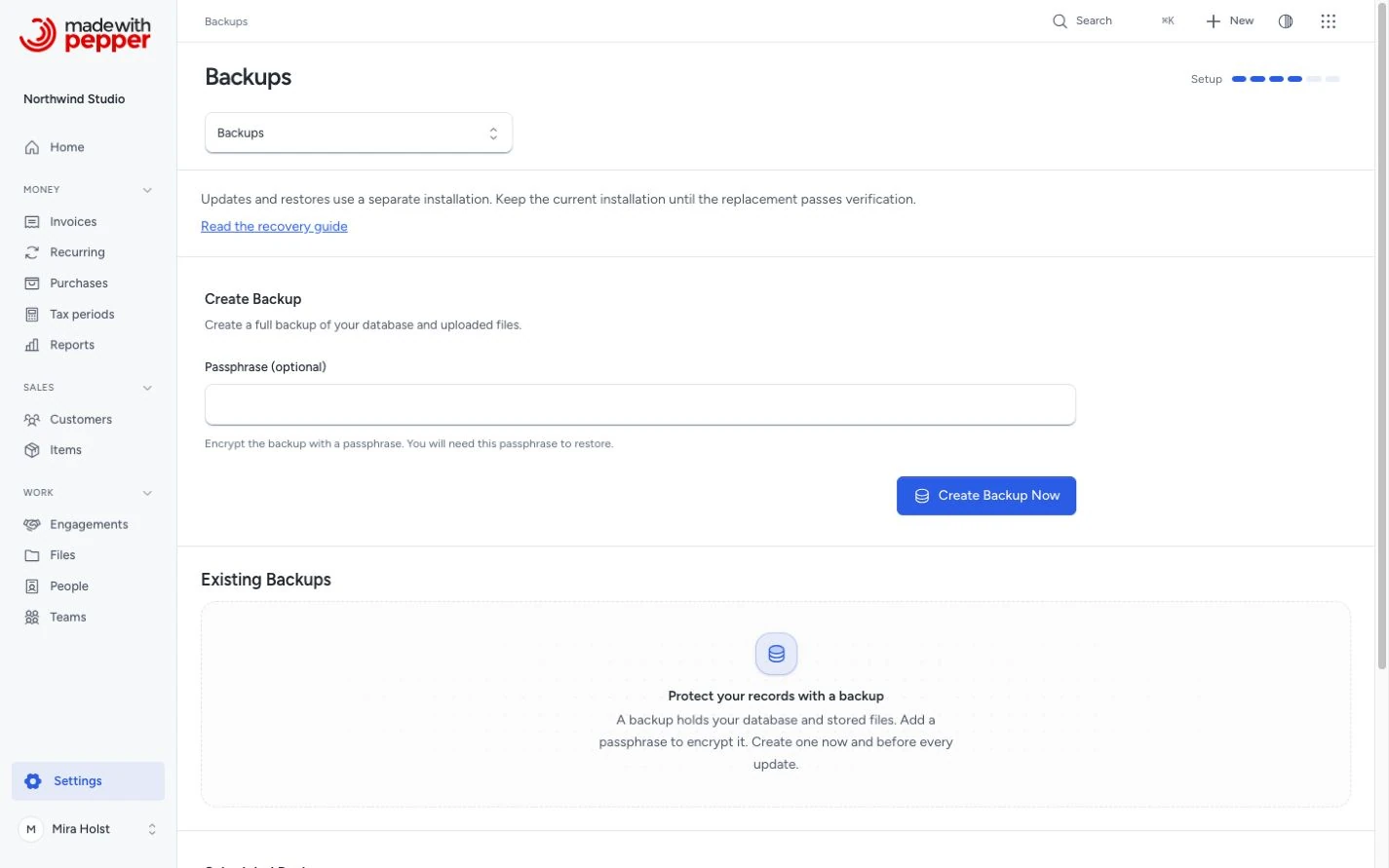
Create a manual backup
- Open Settings > Backups.
- Enter a Recovery password with at least 12 characters.
- Click Export and download.
- Save the ZIP outside this server.
- Keep the password in a separate safe place.
Manual export and import need no cron, queue worker or outside service.
Download a backup
Use the download button beside a completed backup. Keep at least one copy outside the hosting server.
Delete a backup
Use the delete button, then confirm. This removes only that server copy. It does not remove business records or files.
Restore from a backup
On a fresh installation, prove hosting access and choose Import a backup. Select the ZIP, enter its password and choose an empty destination database. Click Import and verify. After verification, check the snapshot and confirm Open this installation.
Current portable exports move between SQLite, MySQL and MariaDB. Use the same version or a newer release that supports your backup’s version. Older data is upgraded and verified before activation. Import never overwrites a populated installation.
For large ZIPs, the import page lets you select a file placed in its private folder through the hosting file manager. CLI is optional. Follow the full import steps.
Restore risks
A backup contains records up to its snapshot. Later changes need reconciliation before activation. Keep the source and ZIP intact. A failed partial destination stays isolated and cannot be overwritten.
Testing restore safely
Use another directory, empty database and separate address. Leave email in log mode and scheduled work off. Check invoices, balances, original downloads and file versions.
After restore, durable inbox items and notification preferences remain. Presence, pending alert claims and browser push registrations are cleared. Sign in again and enable push in each browser you want to use.
AI client sign-in codes and tokens are not in a backup. After restore, an AI client that signed in through the browser signs in again. An agent request that waited for approval, or was approved but not executed, becomes stale. The AI client prepares it again and you approve the new request. Request receipts and executed approvals stay.
Scheduled backups
Choose Daily or Weekly, then save. Scheduled backups require one minute cron job. The page provides the entry and shows when the scheduler last reported, with the last backup result.
Retention accepts 1 to 100 copies. Scheduled and command-line creation apply it after success. Browser exports leave earlier copies in place. See scheduler setup and status.
CLI commands
Commands are optional alternatives. See the command reference.
Encryption
Browser exports require a password and include the recovery key under encryption. Scheduled ZIPs are unencrypted. Keep them private and save the original APP_KEY separately for recovery.
Shared-hosting permissions
PHP needs writable private storage. SQLite needs a private local database file; MySQL/MariaDB need their database connection. Current portable backups, including update safety snapshots, need no database command-line tools. Older SQL recovery needs matching database tools. See server requirements.
Worked example
Mira exports Northwind Studio’s installation from MySQL and saves its ZIP and password. On a new host, she chooses SQLite during import. She checks the verified snapshot, confirms activation, and signs in with her existing account.
For a move, she stops source changes before taking the final export. She keeps the source stopped after the destination opens. See final snapshot and cutover.
Booking data
The booking implementation's full backups preserve schedules, accepted policies, exact prices, history, waitlist holds, message states and attached files. They also preserve encrypted calendar addresses.
Restore the complete backup and its required key material through the ordinary recovery workflow. Do not copy booking tables independently.
A restored sent or uncertain message is not automatically resent. Check the saved state before requesting another delivery.
Need help with the product?
Contact support