
Browse the manual
Document statuses
Every document status and delivery state in Pepper, valid transitions, and what each one means.
On this page
For: developers and bookkeepers who need the exact status definitions and transition rules.
Status definitions
| Status | Description | Document number? | Editable? |
|---|---|---|---|
| draft | Document created, not yet issued. | No (temporary draft code) | Yes |
| issued | Issued with a permanent number. The status does not say whether anyone emailed the document. | Yes (immutable) | No |
| partially_paid | Invoice only. Payments, credit notes or both cover part of the total. A balance remains. | Yes | No |
| paid | Invoice only. Nothing is due after payments, credit notes and refunds. | Yes | No |
| accepted | Quote only. The customer accepted the quote on its public page. | Yes | No |
| declined | Quote only. The customer declined the quote on its public page. | Yes | No |
| expired | Quote only. The validity date passed before the customer responded. | Yes | No |
| converted | Quote only. You converted the accepted quote into a draft invoice. | Yes | No |
| cancelled | Voided. Document number preserved. | Yes (preserved) | No |
The interface shows the labels with a capital letter, for example Issued. The database stores issued as sent. Earlier releases showed the label Sent.
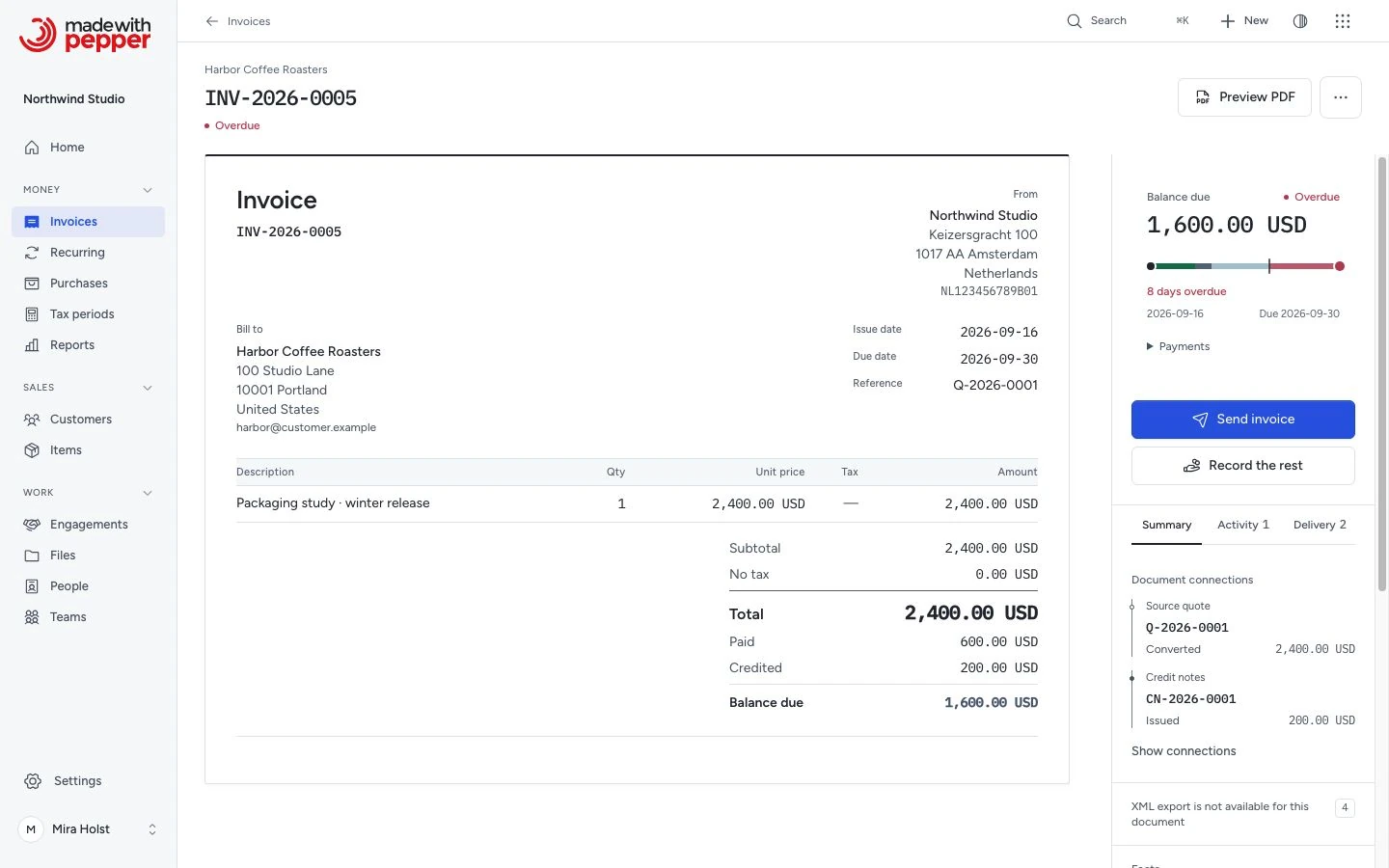
Overdue is not a status
Pepper does not store an overdue status. An invoice is overdue when all of these are true:
- It is issued and not cancelled.
- Its balance due is above zero, after payments, credit notes and refunds.
- Its due date is before today. "Today" is the date in the Business timezone of Settings > Company.
A late invoice keeps its status, issued or partially_paid. A partially paid invoice can be overdue. An invoice with no balance due is never overdue. The invoice list shows an Overdue label next to the status of an overdue invoice.
This rule applies to the invoice list's Overdue view, Home's Overdue figure and the customer record. Aging reports and payment reminders use it too. The Overdue view lists the most overdue invoice first.
Status availability by document type
| Status | Invoice | Credit note | Quote | Pro-forma |
|---|---|---|---|---|
| draft | ✓ | ✓ | ✓ | ✓ |
| issued | ✓ | ✓ | ✓ | ✓ |
| partially_paid | ✓ | No | No | No |
| paid | ✓ | No | No | No |
| accepted | No | No | ✓ | No |
| declined | No | No | ✓ | No |
| expired | No | No | ✓ | No |
| converted | No | No | ✓ | No |
| cancelled | ✓ | ✓ | ✓ | ✓ |
Only invoices accept payments. Quotes and pro-formas are not application receivables; their contractual effect depends on the terms. A credit note takes refunds, the money you pay back, and has no payment status. None of the three can reach partially_paid or paid.
Valid transitions
Pepper sets an invoice status from its balance due after every change. The table lists the usual triggers. See What changes on the invoice.
| From | To | Trigger |
|---|---|---|
| draft | issued | Review and issue, then Issue in the dialog. Pepper assigns the next number in the sequence. It refuses an issue date later than today or earlier than the latest issue date in the sequence |
| draft | (deleted) | Delete draft under More actions |
| issued | partially_paid | Record a partial payment, or issue a credit note for part of the total (invoice) |
| issued | paid | Record the full payment, or issue credit notes for the full total (invoice) |
| issued | cancelled | Cancel document. See the rules below |
| issued | accepted | Customer accepts the quote on its public page |
| issued | declined | Customer declines the quote on its public page |
| issued | expired | Customer opens or accepts the quote after its validity date |
| accepted | converted | Convert to invoice |
| partially_paid | paid | Record the remaining payment or issue a credit note for it |
| partially_paid | issued | Reverse all payments and cancel all credit notes |
| paid | partially_paid | Reverse a payment or cancel a credit note, when part of the total is then due |
| paid | issued | Reverse all payments and cancel all credit notes, or reverse all payments when refunds equal the credit notes |
Notes
Cancelled is terminal. You cannot un-cancel a cancelled document. The document keeps its number and its place in the sequence.
Cancellation has rules. A cancelled document keeps its number.
| Document | You can cancel it when |
|---|---|
| Invoice | It is issued and has no payment and no credit note that is issued and not cancelled. Reverse a payment recorded by mistake, or issue a credit note to reduce the invoice |
| Credit note | It has no refunds. Reverse its refunds first. On its invoice, the credit owed goes down first, and the rest of its total goes to the balance due |
| Quote, pro-forma | It is issued |
| Draft | Never. Delete the draft |
On a paid or partially paid invoice, Cancel invoice under More actions opens a dialog with the reason. On a credit note with refunds, Cancel credit note does the same. The dialog offers no cancel action. A cancelled invoice has no balance due and gets no reminders.
Quote expiry is checked on demand. Pepper sets expired when the customer opens the public quote page or accepts after the validity date. The check uses today's date in the business timezone. No background job expires quotes. An accepted, declined, expired, or converted quote cannot be cancelled.
Reversing a payment sets the status again. Pepper never deletes a payment. If you reverse a payment on a paid invoice, the status returns to partially_paid or issued. If the invoice has credit owed, the reversal lowers the credit owed first, and the invoice can stay paid. The reversed payment stays in the history. See Record a payment.
A credit note sets the status of its invoice. Issuing or cancelling a credit note changes the invoice's balance due or its credit owed, and the invoice status follows the balance due. See Issue a credit note.
Delivery states
The status says where a document is in its life. The delivery state says whether Pepper emailed it. The two are separate: issuing never emails a document and never sets a delivery state other than Not emailed.
| Delivery state | Meaning |
|---|---|
| Not emailed | Nobody emailed the document, or the mail setting writes emails to the log |
| Email queued | The email waits in the outbox, for its first attempt or for the next try |
| Emailed | The mail server accepted the email on that date. This does not prove that the customer received it |
| Delivered | Someone used Record delivery: by post, by hand, from another email program, through a portal, or another way |
| Email failed | The mail server refused the email, or 6 attempts failed |
| Email result unknown | Pepper cannot tell whether the email left the mail server, for example after a timeout. The customer may already have the email |
Common delivery transitions:
| Event | Delivery state afterwards |
|---|---|
| Issue the document | Not emailed |
| Confirm Send email | Email queued, until the attempt finishes |
| The mail server accepts the email | Emailed |
| A temporary attempt fails | Email queued. A later attempt follows the retry schedule |
| The server refuses the email, or six attempts fail | Email failed |
| The connection stops after sending the data | Email result unknown |
| Confirm a new email through Send again after a failed or unknown result | Email queued, until the new attempt finishes |
| Use Record delivery | Delivered. Pepper sends nothing |
The document list shows the delivery state under the status. The document shows it on the Delivery tab of its inspector, with the Email history. Pepper has no "opened" or "read" state. Automatic reminders start only after a mail server accepted an email for the invoice, or after someone recorded a delivery. See Track the delivery.
Deleting documents
You can delete only draft documents. Drafts have no document number and are not part of your official financial records.
Once a document is issued (any status other than draft), you cannot delete it. You can cancel it under the rules above. The document keeps its number in the sequence. Many tax authorities expect invoice numbers without gaps, and the rules differ by country (see Numbering).
If you made a mistake on an issued invoice, issue a credit note to correct it.
Pepper soft-deletes drafts (moves them to trash) and excludes them from all lists and reports. It does not destroy them. There is no maintenance command for permanent removal.
Related pages
Need help with the product?
Contact support