
Browse the manual
Self-hosting and backups
What self-hosting means for your invoicing data, what you are responsible for, and how to protect your records.
On this page
For: business owners and developers running Pepper on their own server.
What self-hosting means
Self-hosting means Pepper runs on your server. You own the files, the database, and every invoice record. Your hosting provider also controls the server infrastructure. Choose a provider whose access and backup policies meet your needs.
You are responsible for keeping it running. Pepper does not monitor your server. If your hosting goes down, you cannot use Pepper.
Your responsibilities
Keep backups. Your database contains your invoice records, customer data, payment history, and audit trail. If you lose the database, you lose that data. Back up the database and private and public media together.
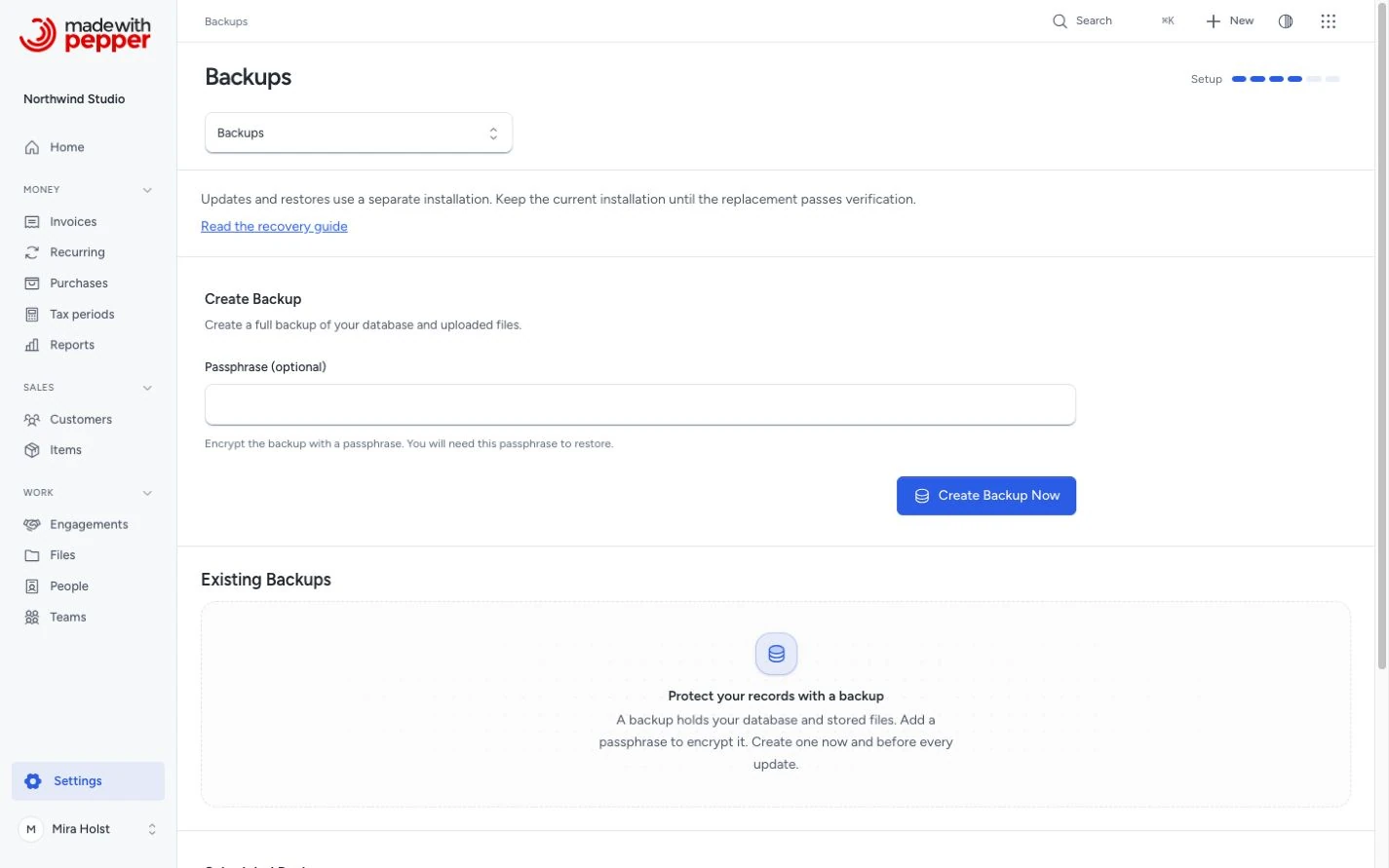
Use Settings > Backups to export a protected ZIP. Current encrypted exports include the recovery key. Keep the password and trusted application package separately. Use the same version or a newer release that supports the backup. Scheduled or older backups also need the original APP_KEY saved from .env.
Keep PHP updated. Pepper requires PHP 8.4 or later. The PHP maintainers release security patches. Run a supported version.
Keep your server secure. Use HTTPS. Keep your operating system patched. Use strong passwords. Restrict SSH access.
Set up email. Pepper sends invoices by email through your configured mail provider (SMTP or Resend API). If your mail server goes down, your credentials expire, or your API key is revoked, the mail server stops accepting invoice emails. Each document then shows Email queued, Email failed or Email result unknown on its Delivery tab. Pepper retries temporary failures. Check the delivery state after you send, and keep the cron job running.
Backup strategy
A minimum backup strategy for a small business:
- Daily or weekly: authenticated database and media backup, using the server scheduler
- Separately: encrypted configuration and key copy, plus the matching trusted application package
- Off-site: store at least one copy somewhere other than your hosting server
Test each recovery procedure in a separate directory and empty database. Keep mail and scheduled work stopped during verification.
What Pepper stores
| Data | Location |
|---|---|
| Invoice records, line items, payments | Database |
| Customer records and contacts | Database |
| Company settings and tax rates | Database |
| Audit log | Database |
| Company logo | storage/app/public/ directory |
| Issued PDF and XML originals | storage/app/private/documents/, with hashes in the database |
| Application key and connection settings | .env. Current password-protected exports include the recovery key under encryption; connection settings stay separate |
Protect the database and media together. An issued original is stored evidence, not a disposable cache. You can reinstall the application code from the Pepper package.
What Pepper does not do
Pepper can back up your database and uploaded files. You can create a backup on demand or enable a daily or weekly schedule; scheduled backups require the server scheduler. Backups stay on your server, so you need to keep an off-site copy. Pepper does not replicate to a remote server or alert you if your disk fills up or your database becomes corrupted.
If you are not comfortable managing a server, consider managed hosting from a provider that handles backups and security patches for you. Browser import needs a fresh directory and empty database. Shell access is optional. For a move, stop source writes and switch the domain through your hosting panel.
Cutover and newer records
An online backup contains records only up to its snapshot. For a planned move, stop source changes and take a final export. Keep the source stopped during import and verification.
For example, a snapshot may include a EUR 125.00 invoice but omit a later USD 240.00 payment. Reconcile that payment before activation.
After the replacement receives writes, do not return to the stale source. Follow Final snapshot and cutover.
Related pages
Need help with the product?
Contact support