
Browse the manual
EPC QR codes
When Pepper prints an EPC QR code on an invoice PDF, what the code contains, and what it does not do.
On this page
For: business owners who invoice in EUR and want faster payments.
What it is
EPC stands for European Payments Council. An EPC QR code is a square barcode that holds a SEPA credit transfer: who to pay, how much, and which reference to use.
Your customer scans the QR code with their banking app. The app fills in a transfer with your IBAN, the amount and the invoice number. The customer checks the transfer and confirms it. Nobody types or copies the details.
When Pepper adds the code
Pepper adds an EPC QR code to an invoice PDF only when all of these apply:
- The document is an invoice. Drafts, quotes, pro-formas and credit notes never get a QR code.
- The invoice is finalized and not cancelled.
- The invoice currency is EUR. Pepper checks the invoice currency, not the bank account currency.
- You selected a bank account on the invoice, and that account has an IBAN.
- The amount is from €0.01 to €999,999,999.99.
The issued original PDF asks for the invoice total. After a partial payment or a credit note, click Download current copy on the invoice. The QR code on that copy asks for the new, lower balance due. When nothing is due, the current copy has no QR code. A cancelled invoice gets no QR code on a current copy.
Pepper saves the bank details when you finalize the invoice. This includes the IBAN, the BIC, the account holder and the bank name. A later change to the bank account does not change the PDF, the QR code or the XML file of an issued invoice. It applies to invoices you finalize after the change.
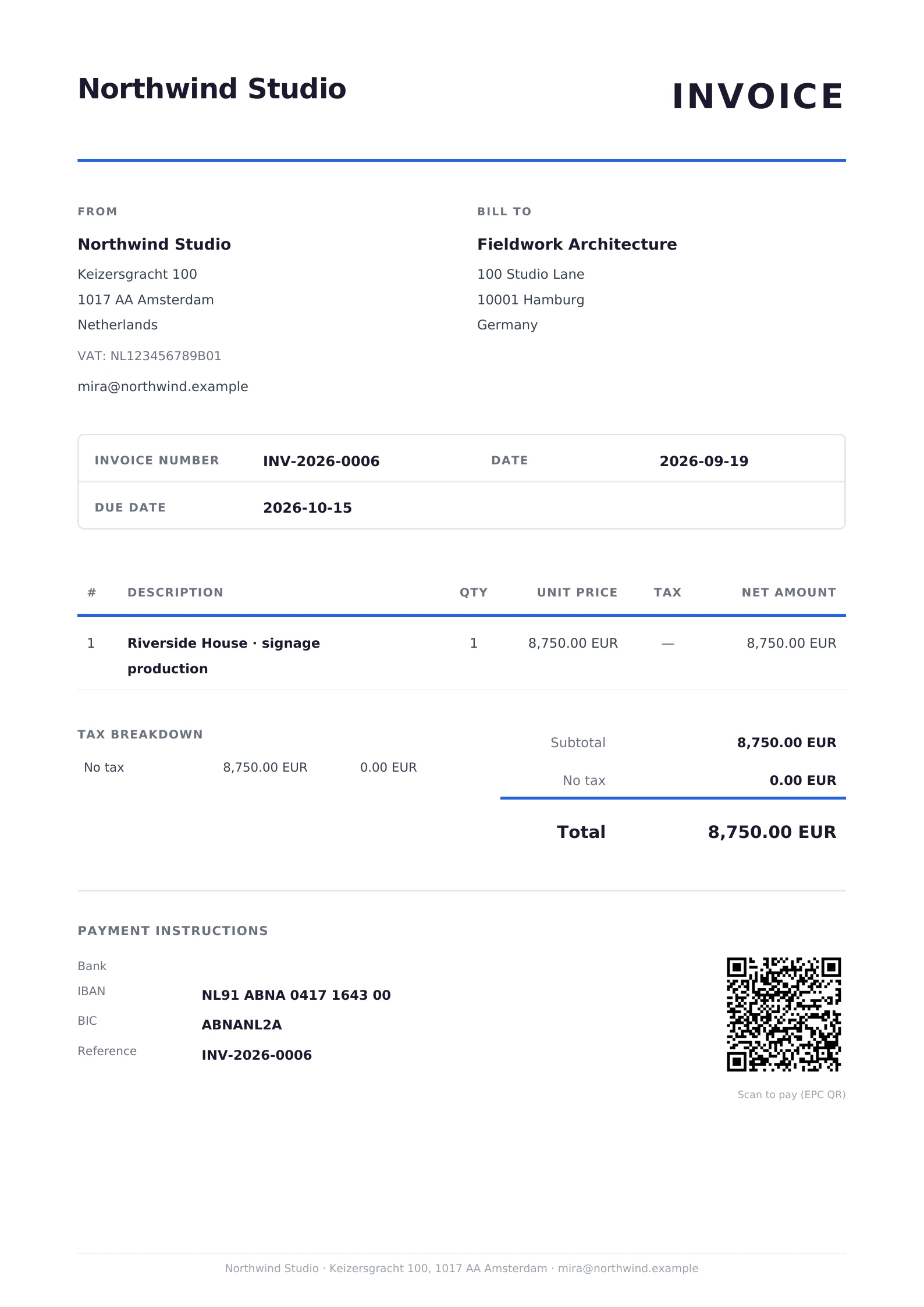
The QR code appears in the payment section of all three PDF templates. The label under it reads "Scan to pay (EPC QR)", in the document language.
The rest of Pepper works in any supported currency. An invoice in USD, GBP, JPY or another currency shows its bank details on the PDF, without a QR code.
What the code contains
Pepper writes payload version 002 under the EPC069-12 v3.1 guideline. The code must fit the 331-byte payload limit. The code contains:
- BIC: the BIC of the selected bank account as saved at issue, when the account has one. Payload version 002 permits an empty BIC within the EEA. SEPA participants outside the EEA require a BIC. Enter it when your bank requires it.
- Beneficiary name: the account holder of the selected bank account as saved at issue. When the account holder is empty, Pepper uses your company name as saved at issue.
- IBAN: the IBAN of the selected bank account as saved at issue, without spaces.
- Amount: on the issued original, the invoice total. On a current copy, the balance due on the day of the copy. That is the total minus the payments and the credit notes, plus any refunds on those credit notes. The amount is exact to the cent.
- Remittance information: the invoice number, as unstructured text.
Pepper does not use the structured creditor reference field. That field is for ISO 11649 references, which start with "RF". An invoice number is not such a reference.
If the beneficiary name is longer than 70 characters, the PDF has no QR code. Shorten the Account holder in Settings > Bank accounts to fix this for invoices you finalize after the change.
Banking app support
Support for EPC QR codes depends on the payer's banking app. Some apps in the SEPA area scan these codes and some do not. Pepper cannot check which app your customer uses.
Ask your customers whether their banking app scans EPC QR codes. The invoice PDF also prints the IBAN, the amount and the invoice number, so a customer without a scanning app can type the transfer.
What it does not do
The EPC QR code only fills in a transfer form. It does not start a payment, charge a card or move money. The payer confirms the transfer in their banking app, and the payer can change the details before confirming.
Pepper does not know whether a customer scanned the code. It does not know whether a customer paid by QR code or typed the details. Record the payment when you see the money arrive in your bank account.
Worked example
Mira Holst at Northwind Studio sends invoice NW-2026-0006 to Acme Hardware in Utrecht. The invoice is in EUR and uses her business account with an IBAN. It has one line: 20 hours of design at €125.00, with a 10% discount and VAT at 21%.
The totals on the PDF read:
| Row | Amount |
|---|---|
| Subtotal before discount | €2,500.00 |
| Discount | −€250.00 |
| Net total | €2,250.00 |
| VAT (21%) | €472.50 |
| Total | €2,722.50 |
The QR code on the issued original holds €2,722.50. Acme pays €1,000.00 first, and Mira records the payment. She clicks Download current copy. The copy shows two more rows:
| Row | Amount |
|---|---|
| Paid | €1,000.00 |
| Balance due | €1,722.50 |
The QR code on that copy holds €1,722.50, the IBAN, and NW-2026-0006 as the remittance information. Acme's bookkeeper scans the code in the company banking app and checks the transfer. Then the bookkeeper confirms it. Mira records the second payment when it arrives. The invoice status changes to Paid, and a current copy of the invoice has no QR code. The issued original does not change.
Related pages
Need help with the product?
Contact support