
Browse the manual
Requirements
Server requirements for running Pepper on shared hosting, VPS, or local development.
On this page
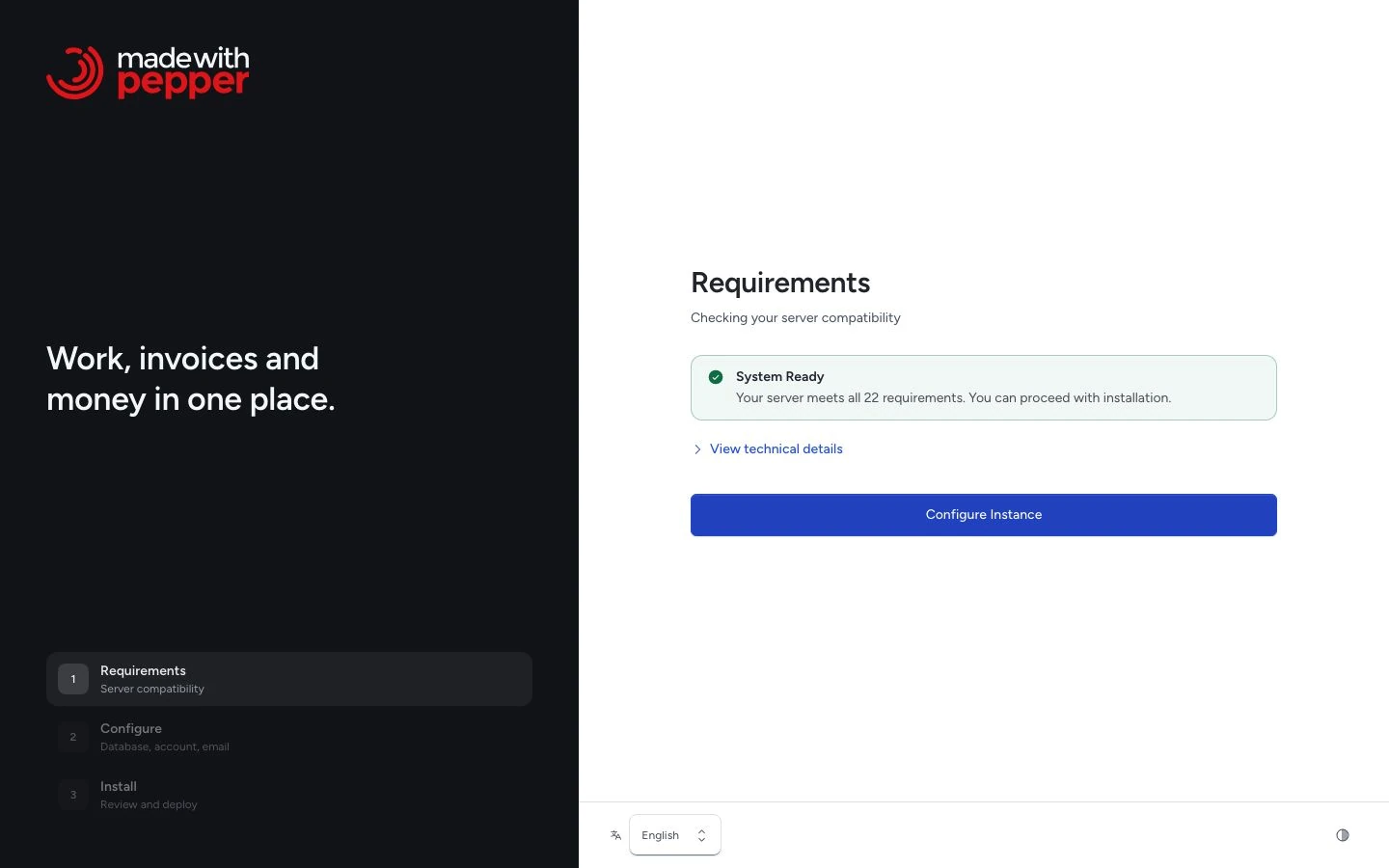
Pepper runs on standard PHP hosting. You can use shared hosting, Plesk, cPanel, VPS, or local development if they meet the requirements below.
Browser and device
Use a current version of Chrome, Firefox, Safari or Edge on HTTPS. The application supports desktop, tablet and phone layouts. Live refresh needs Web Locks and BroadcastChannel support; restricted or older browsers without those features require manual refresh.
Desktop provides more room for long registers, document editing and financial comparisons. On a phone, registers become stacked records. The bottom navigation and More replace the side rail. Document context opens through Details. See Home and navigation.
Server requirements
| Requirement | Minimum |
|---|---|
| PHP | 8.4 or higher |
| Database for a fresh installation | SQLite 3.44+, MySQL 8.4, or MariaDB 10.11, 11.4 or 11.8 |
| Web address | A domain or subdomain of its own, for example example.com or app.example.com. Not a subfolder such as example.com/app |
| Web server | Apache or Nginx |
| Disk space | Application files plus space for issued original PDFs and XML files, uploads, logs, and backups. Pepper never deletes an issued original |
Composer, npm, Vite, Node.js, and command-line access are not required for a normal buyer installation. The release package includes Composer dependencies in vendor/ and compiled frontend assets in public/build/. It also includes the Droid Sans Fallback font for Japanese and Chinese PDFs (Apache License 2.0). The font adds about 4 MB to the package.
Pepper does not require CDN access for runtime fonts, scripts, styles, icons, or charts.
Required PHP extensions
Install these extensions:
| Extension | Purpose |
|---|---|
bcmath |
Precise decimal arithmetic |
ctype |
Character type validation |
curl |
HTTP client (HTTPS support required) |
dom |
XML and HTML processing |
exif |
Media library image handling |
fileinfo |
Upload MIME detection |
gd or imagick |
Logo and QR/image handling |
intl |
Date, number, and currency formatting |
json |
Data encoding |
mbstring |
Text handling |
openssl |
Encryption and secure requests |
pdo |
Database access |
pdo_sqlite or pdo_mysql |
SQLite, or MySQL/MariaDB access. Only the extension for your chosen database is required |
tokenizer |
Framework internals |
xml |
UBL XML export and parsing |
zip |
Backups and release archives |
Recommended PHP settings
| Setting | Recommended |
|---|---|
memory_limit |
256M or higher. PDF memory use depends on the document length and fonts. Long documents and CJK text can need more memory |
upload_max_filesize |
10M or higher |
post_max_size |
12M or higher |
max_execution_time |
60 seconds or higher for PDF/export tasks |
Writable directories
The web server must be able to write to:
storage/bootstrap/cache/- The application root while the installer creates
.env
Pepper stores issued originals in storage/app/private/documents. The first Japanese or Chinese PDF copies its font into storage/fonts.
Verify these permissions before running the application.
Database target
Choose SQLite for a private database file without a separate server or database account. It needs pdo_sqlite, SQLite 3.44+ with JSON support, and writable local storage.
The installer creates storage/database.sqlite with private permissions. Use local disk storage, not a network share. It refuses an existing populated target. SQLite suits a person or small team; it serializes concurrent writes.
MySQL and MariaDB need pdo_mysql and an empty database. The installer checks the selected engine and version before creating tables.
For MySQL/MariaDB, the installer also checks that the server supports the InnoDB storage engine. Pepper creates all tables as InnoDB tables, also on a server that uses MyISAM as its default engine.
| Server | Accepted versions |
|---|---|
| SQLite | 3.44 or later, with JSON support |
| MySQL | 8.4 |
| MariaDB | 10.11, 11.4, 11.8 (long-term support releases) |
Other versions are refused: MySQL 8.0 and 9.x, MariaDB 10.6 and earlier, and MariaDB short-term releases such as 11.5 to 11.7. A MariaDB long-term release that comes out later is accepted only after a release verifies it. A refusal names the detected server, for example "This database server is not supported: MariaDB 10.6.18".
The installer needs an empty database. For an existing installation, upload and install a release ZIP from the dashboard. The Update page checks whether the package supports your installed version before changing anything.
Current portable exports move between supported SQLite, MySQL and MariaDB installations. Export and import work in the browser without database command-line tools.
Update safety backups use the same portable format. Updates need proc_open() to check the new application before replacing files. Older SQL backups still need proc_open() and mysql or mariadb for import, and restore to their original database family.
Recovery needs a separate directory and empty database. Shell access is optional. The host must let you stop writers and switch the address for a move. Use its file manager for archives above the browser upload limit.
Allow space for staged files and the ZIP archive. Recovery requires twice the expanded archive size plus 16 MiB of free staging space.
Archives support up to 50,000 entries, 2 GiB expanded data and 1 GiB per file. See Backups for all limits.
Email requirements
Pepper sends documents, reminders, password resets, and user invitations by email. Document emails and reminders go through an outbox that the cron job processes every minute. User invitations send during the request and need no queue worker. See Users. You can use SMTP (any provider) or the Resend API. Your hosting provider must allow outbound connections on the relevant port (SMTP) or to the Resend API endpoint (HTTPS).
Browser push notifications
Push is optional and needs HTTPS, browser permission and outbound HTTPS from the server to the browser’s push service. Supported gateways are Google, Mozilla, Apple and Microsoft. Push uses the PHP extensions listed above; it requires no extra queue worker or hosted messaging account.
On iPhone and iPad, add the installation to your Home Screen and enable push from there. Browser and operating-system settings can still prevent an alert. The inbox remains available. See notification setup.
Optional services
Developers can configure Redis, S3-compatible storage, and queue workers. Pepper does not require them. Scheduled tasks (the email outbox, reminders, recurring invoices, scheduled backups) need one cron line that runs every minute. See CLI commands.
Domain or subdomain
Install Pepper on a domain or subdomain of its own, for example example.com or app.example.com. Do not install it in a subfolder such as example.com/app. Pepper builds its links, signed quote links, cookies and assets for the root of its web address. A subfolder installation is not supported. Most hosts let you add a subdomain in the control panel and point it at the application.
Shared hosting document root
The preferred web root is public/. If your Apache shared host cannot change the document root, upload the full application and keep the included root .htaccess. It rewrites requests into public/ and blocks direct access to application internals.
Public widget pages
Ask your host to compress the local CSS and JavaScript files. On Apache, the included public/.htaccess enables compression when mod_deflate is available and the host allows its rules. On Nginx, ask the administrator to enable gzip for text/css and application/javascript in the static asset location. The rules added by Pepper do not compress private account responses.
Check one public widget on a phone connection after installation. Server load, network speed, uploaded images and the host's configuration affect loading time. A local performance test is not a guarantee for your installation.
See also
Need help with the product?
Contact support