
Browse the manual
Send guides and record acknowledgements
Publish steps with your own images and videos, answer questions and retain the version a customer read.
On this page
For: a person with Manage content, or a customer workspace owner whose plan includes Guide.
Where: Work > Widgets > New widget > Guide.
A guide gives the reader ordered steps. Sending a guide keeps the exact version for its recipient, even when you publish a newer version.
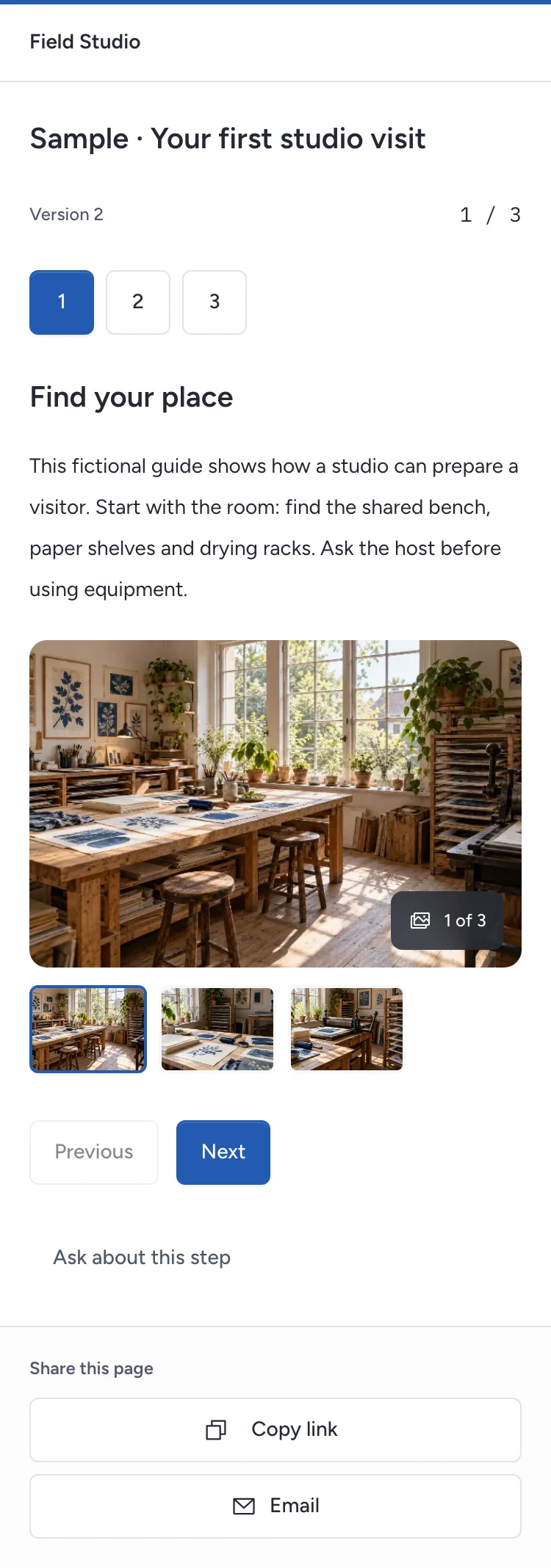
Publish your instructions
- Enter a name and title.
- Enter the first Step title and Instructions.
- Open Step media to add images or video. Describe each image or provide the video's transcript.
- Choose Add step for the next instruction. Use Move up to change its position.
- Save. Check each step in Live preview.
- Open Publish & share and choose Publish widget.
A guide accepts up to 30 steps, with 5 media files per step. Platform managers choose permitted Files; customer owners upload into their own workspace.
Images support JPEG, PNG, WebP and GIF. Videos support MP4 or WebM, up to 50 MB within the installation upload limit. Use a codec the reader's browser supports.
Videos play with browser controls and do not load YouTube, Vimeo or another outside video service. Pepper does not transcode files. Test your file on the phones your customers use.
The public reader can move between steps, open photos and ask about a step. Their request keeps the guide version and step. Invalid fields stay visible for correction.
You write the instructions. Pepper supplies no medical, legal or aftercare advice.
Send a version to a customer
- Open Records and requests for the published guide.
- Under Send a guide, choose an existing customer.
- Choose Send request, or Create link to copy the link without sending email.
- Check its delivery state. Configure email and the scheduler for queued delivery.
The recipient uses the addressed email and an email code to open the guide. Another inbox cannot open it.
After reading, the recipient selects I have read this guide version. and chooses Record acknowledgement. The record keeps the version and time.
An acknowledgement is a reading record. It is not a signature, contract acceptance or consent to treatment.
Check or revoke a request
Records and requests shows waiting, acknowledged, expired and revoked requests. View evidence shows the recorded time and version. Published versions gives exact figures per retained version.
An unanswered link expires after 30 days. An acknowledged guide remains readable to that recipient after expiry. They must still verify their inbox and retain access to the request.
Choose Revoke to stop further access through a request. Closing the public widget does not remove a recipient's retained guide version.
Editing closes the public widget. Publishing the edit creates a new retained version. Existing recipients keep their original text, step order and selected file versions.
If a file becomes unavailable, the reader sees a media-unavailable message. A full restore preserves acknowledgement evidence but closes old private access grants. Create a new request after restore.
In widget analytics, open Content results for exact questions per step and acknowledgements per version. Each step keeps its published version, even after you edit the guide. Select a count to open its permitted records.
Counted step activity stays separate from these exact records. The last observed step does not prove the reader completed the guide.
See Publish a widget for public links, website presentations and sharing. Agents can prepare a request for human review; they cannot send or acknowledge it.
Need help with the product?
Contact support