
Browse the manual
Publish links and opening hours
Give customers one page of links, business addresses and opening times.
On this page
For: a platform settings manager, or a customer workspace owner whose plan includes the selected widget.
Where: Work > Widgets > New widget. Choose Link page or Locations and hours.
Put useful links in one place
- Name the link page and write a short introduction, up to 600 characters.
- Choose Add link. Write its link text, up to 120 characters.
- Choose Published widget and select a widget you may use, or choose Outside website and enter its full HTTPS address.
- Add up to 50 links. Use Move up to set their order. Remove a row to remove its link.
- Save. Check Live preview, then open Publish & share and choose Publish widget.
A published record, such as a price list or business card, enters the page through its published widget. Outside links carry an “Opens another website” label. Pepper refuses HTTP addresses, embedded passwords and script links.
When a linked widget closes or loses access, Pepper removes its entry from new page loads. External destinations remain the business’s responsibility.
Share the page address or create a named QR placement. Keep that placement when you change the page’s links.
Set business locations
- In a Locations and hours widget, choose Add location.
- Enter the name, street address and optional phone number. Select Show this location.
- Under Opening hours, add a weekday and its opening and closing times. Add another row for a split shift.
- Add full closed dates for holidays or other exceptions. Save the location.
- Select up to 20 locations for the widget. Save, preview and publish it.
A location is shared by every widget that selects it. Edit location changes those shared details. Turn off Show this location to hide it from each public widget.
Times use the business timezone shown below the hours. Customer workspaces use their own timezone. A closing time earlier than its opening time continues into the next day; equal times are invalid. A closed date blocks the whole calendar day, including the part of an overnight opening that crosses into it.
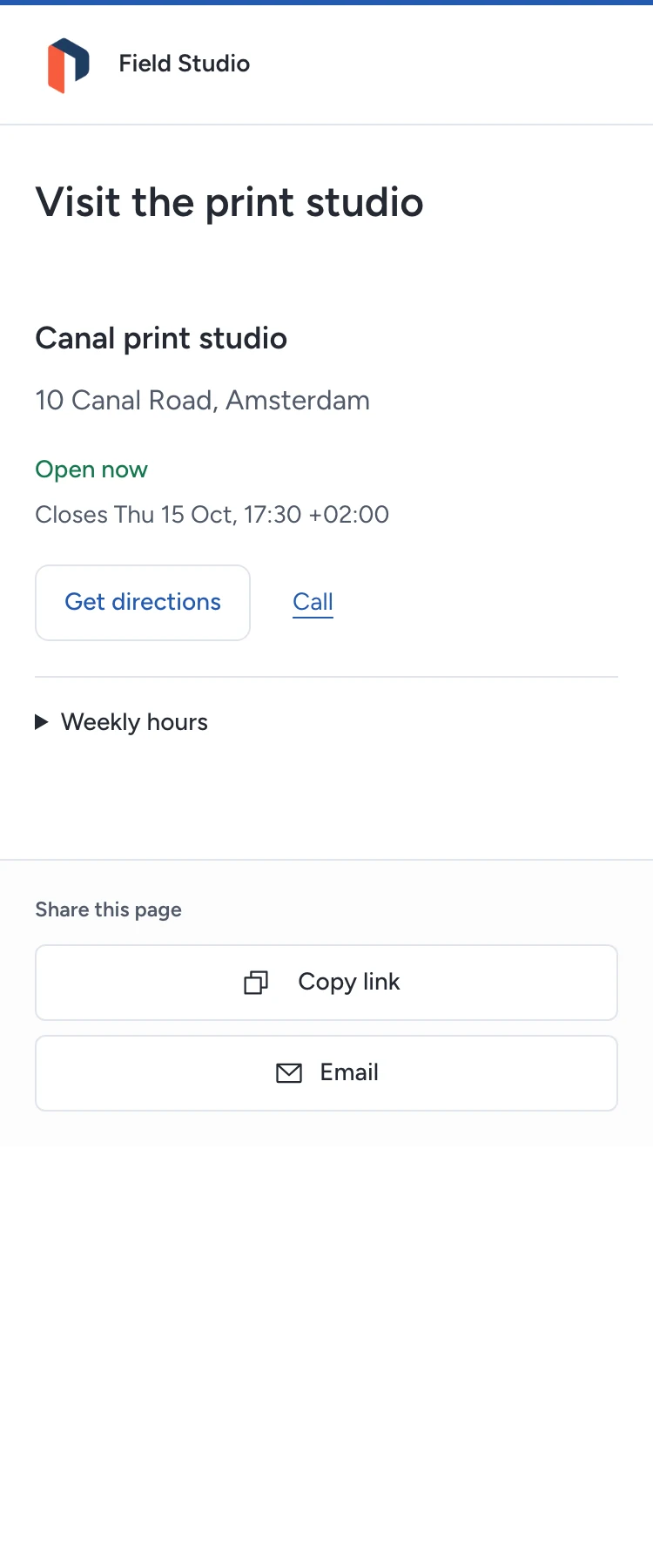
Pepper computes “Open now” and the next change on the server. Daylight-saving changes follow that timezone. Visitors can expand Weekly hours and see the upcoming closed dates. If no opening is scheduled, the widget says so.
Get directions opens a map link. Call opens the visitor’s phone application. The widget loads no map tiles and does not track the visitor’s location.
Check activity and access
Open the widget’s Analytics action. Link pages report counted opens by link. Location widgets report total map opens and phone taps for the whole widget. These totals do not distinguish individual locations. Counts do not establish unique visitors, calls answered or visits to the premises. Website measurement requires the configured consent flow.
If an edit is stale, reload the current location before saving again. If a destination disappears, check its publication state and permissions. Guests cannot manage these widgets. Publishing and measurement controls apply to both types.
Need help with the product?
Contact support