
Browse the manual
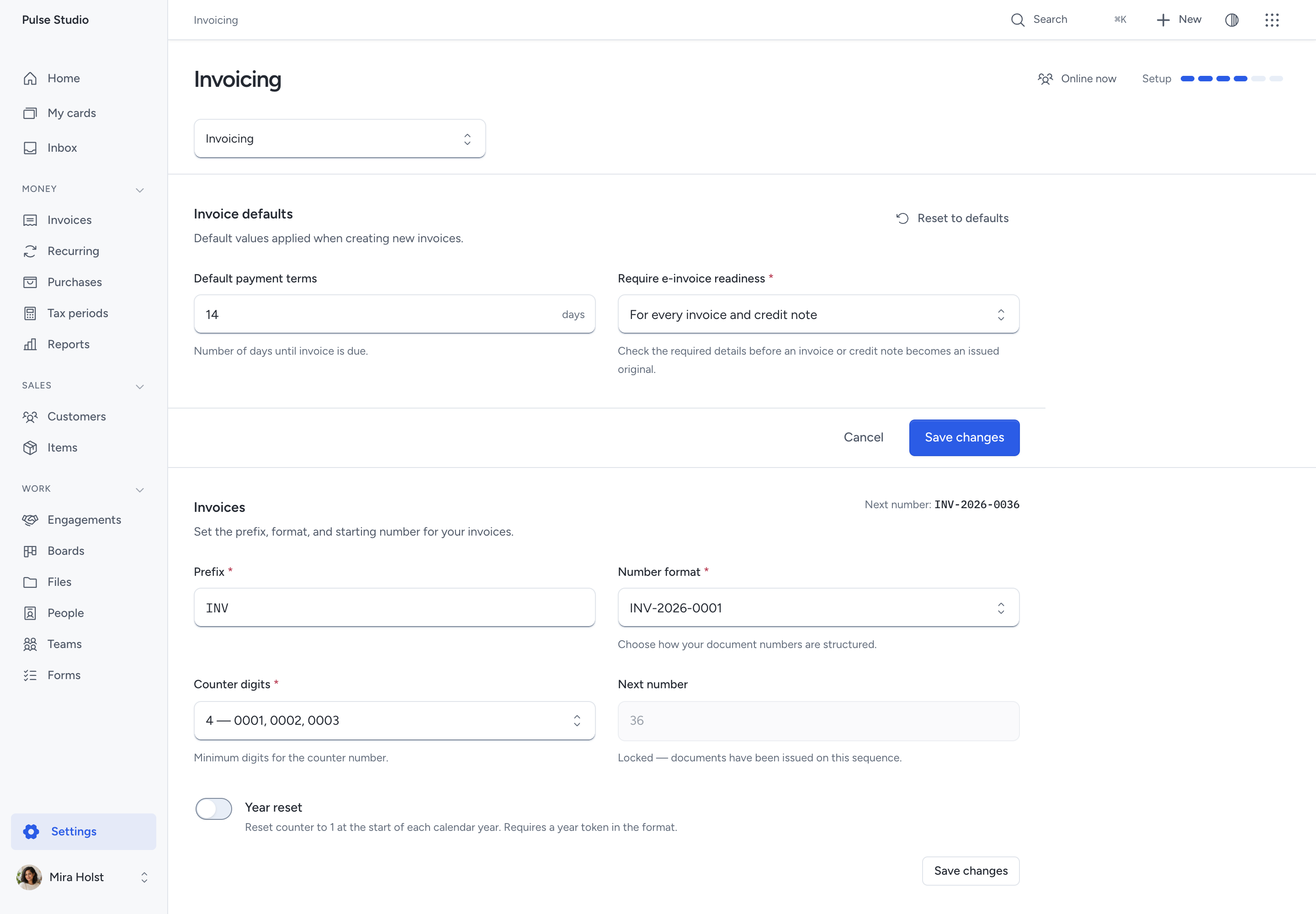
Require e-invoice readiness
Choose when Pepper must check e-invoice details before issuing an invoice or credit note.
On this page
Use this setting when your invoices must also pass Pepper's local XML export checks.
Who can change it: an owner or administrator.
Choose when to check
- Open Settings > Invoicing.
- Find Require e-invoice readiness under Invoice defaults.
- Select one of these choices.
- Click Save changes.
| Choice | Effect |
|---|---|
| Never | Readiness stays advisory. This is the default for new and existing installations |
| For customers with an electronic address | Require readiness when the customer has an electronic address identifier |
| For every invoice and credit note | Require readiness for every invoice and credit note |
The setting does not affect quotes, pro formas or documents already issued. An ordinary email address does not count as an electronic address identifier.
Fix a refused issue
When readiness is required, Review and issue lists the details to fix. Each available link opens the place where you can fix them.
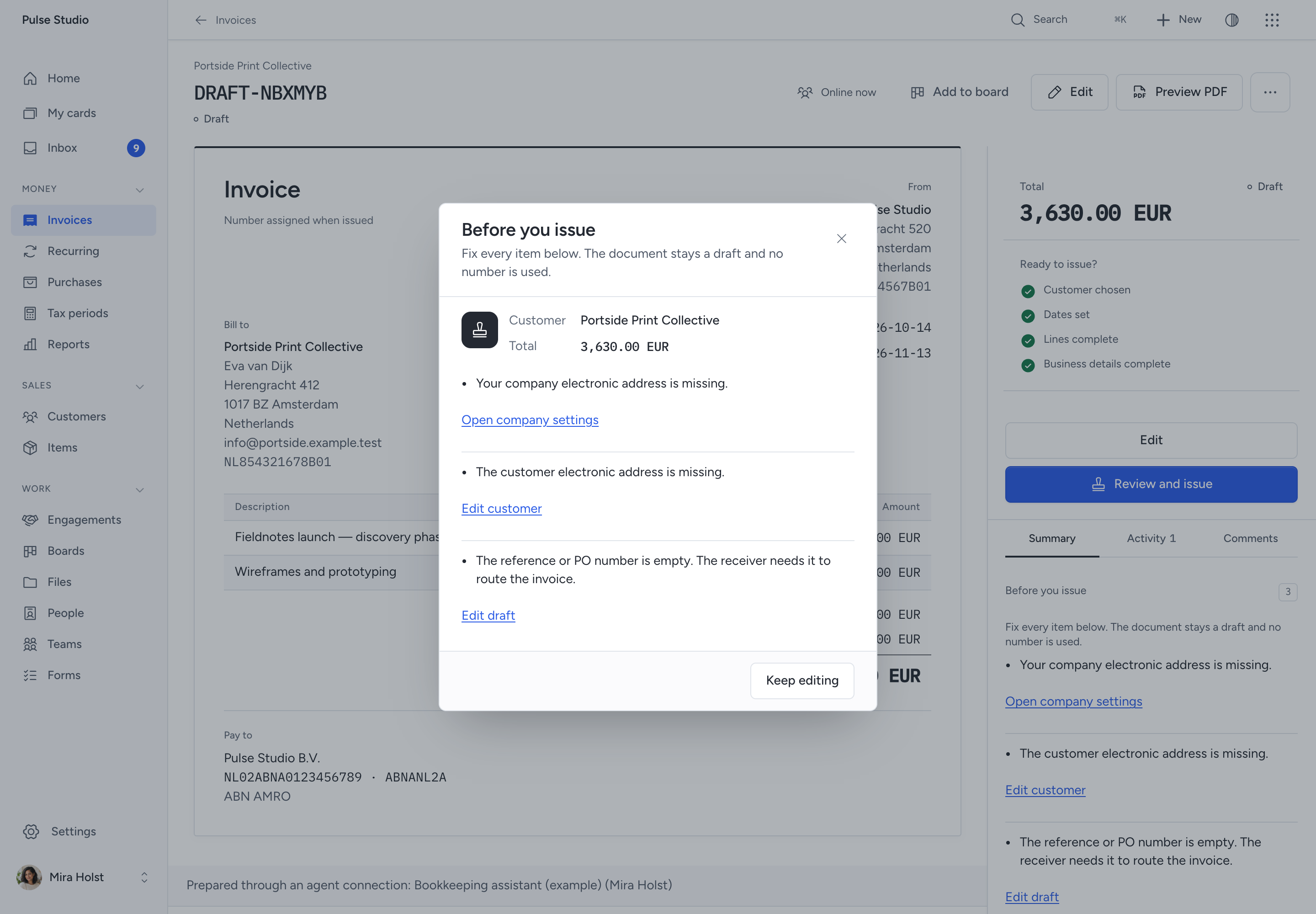
- Follow a fix link.
- Correct and save the details.
- Return to the draft.
- Choose Review and issue again.
- Review the customer and total, then confirm issuance.
If your role cannot edit an input, ask an administrator. A refusal keeps the draft and uses no invoice number.
The final server check uses the details that issuance will save. A setting changed after you opened the review still applies.
Recurring invoices
An automatic recurring issue uses the same checks. If it fails, Pepper keeps one draft and records the missing inputs.
The schedule owner receives one Inbox update for that occurrence through the normal notification process. Replaying the occurrence creates no second draft or notification.
Open the draft from the update, fix the details and issue it yourself. The schedule continues with its next occurrence.
Optional AI clients
A connected client receives the same refusal and permitted fix links. Issuance still needs your approval through Pepper's confirmation page.
Enabling readiness does not let a client change company settings, send invoices or bypass confirmation.
What this check proves
Readiness applies the same checks as Pepper's current XML exporter. It adds no format or network delivery and does not guarantee a receiver's acceptance.
Issued originals keep their saved details. Changing this setting never changes an issued original.
Need help with the product?
Contact support